A great way to measure your social media progress is to complete a competitor analysis for your Facebook Page. Spying on your Facebook competition isn’t unethical. It’s about gaining valuable insights to improve your own strategy. By analyzing your competitors’ content, you can uncover what’s working for them and apply those lessons to your business. In this guide, I’m going to show you how to spy on your Facebook competition and use your findings to refine your own social media marketing.
1. Facebook Benchmarking
This feature used to be called “Pages To Watch” but it got a facelift. Now called “Businesses to Watch” and “Business Comparison” you can find this comparison suite inside your Meta Business panel at business.facebook.com.
- Click on Insights inside your Meta Business Panel – This gives you an overview of your views, reach, net interactions and follows for the month.
- Tap on Benchmarking in the left side menu
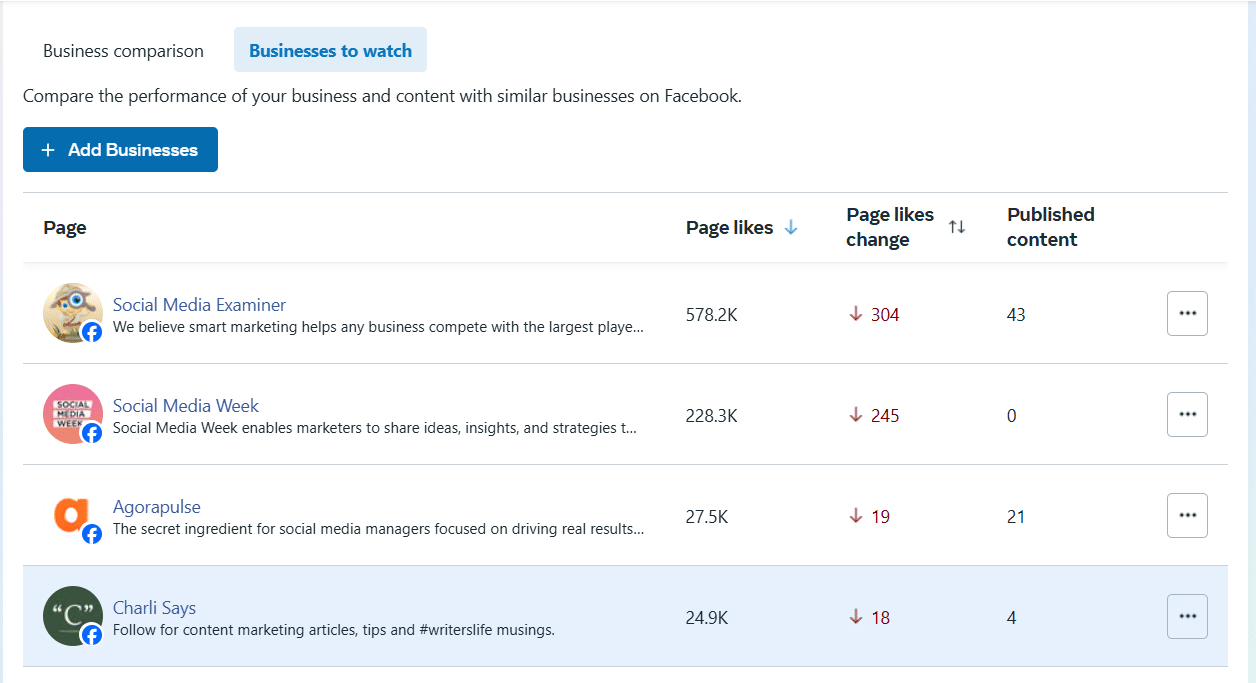
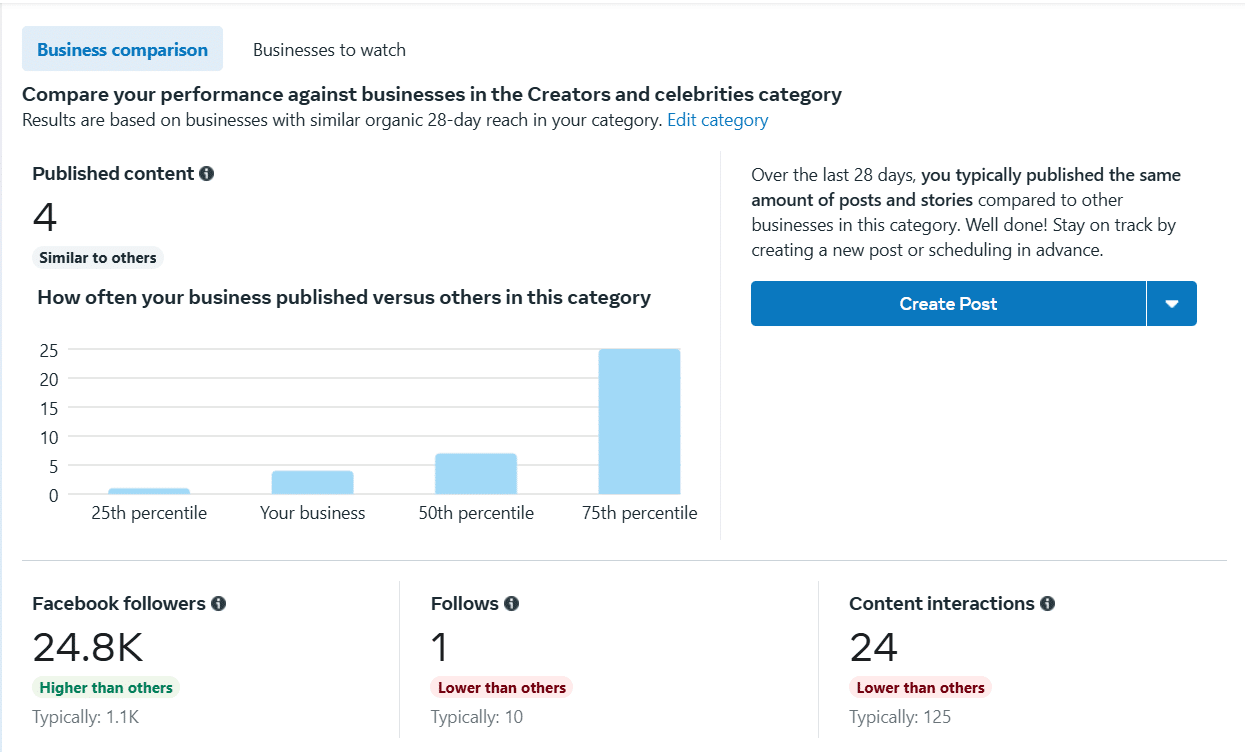
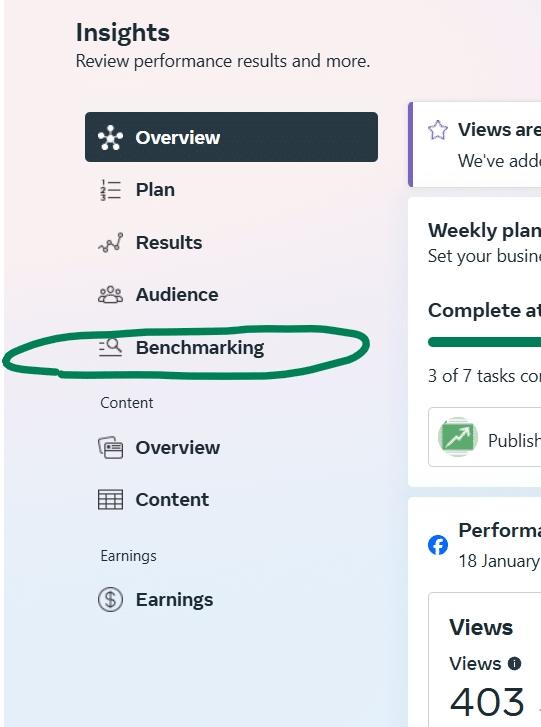 Once inside Benchmarking, you can toggle between Business Comparison and Businesses To Watch.
Business Comparison will show you how your page stats compare to others in your category over the past 28 days. Keep in mind that if you’re in the creators and celebrities category (and not spending money on advertising) you might seem like you’re not performing as well!
Be realistic with the pages you’re benchmarking yourself against. For example, if you’re an independent coffee shop in a leafy village, benchmarking against Costa Coffee and Starbucks is not going to be helpful. Instead research coffee shops in your area and across the county to get a sensible comparison. Remember, the point is to also take inspiration from those outperforming you. So, keeping your comparison list smaller may be more constructive here.
Remember:
- You do not have to ‘like’ your competitors’ page to put them on this list.
- You can track growth from week to week (likes) and how often your competitors are posting to their page as well as the engagement level they have on their page.
- I originally read that pages will get a notification to say they’ve been added to a watch list. However, I tried following one of my other pages using this feature and there was no notification. So, spy away!
2. Agorapulse’s Competitors’ Tab
Agorapulse users have access to another ‘secret weapon’! They have access to competitor data in the ‘Competitors’ Tab for Facebook Pages.
To access the Competitors data, you will first tap on the reports icon on the left side. Make sure you have your Facebook page selected, and this is the first screen you will see.
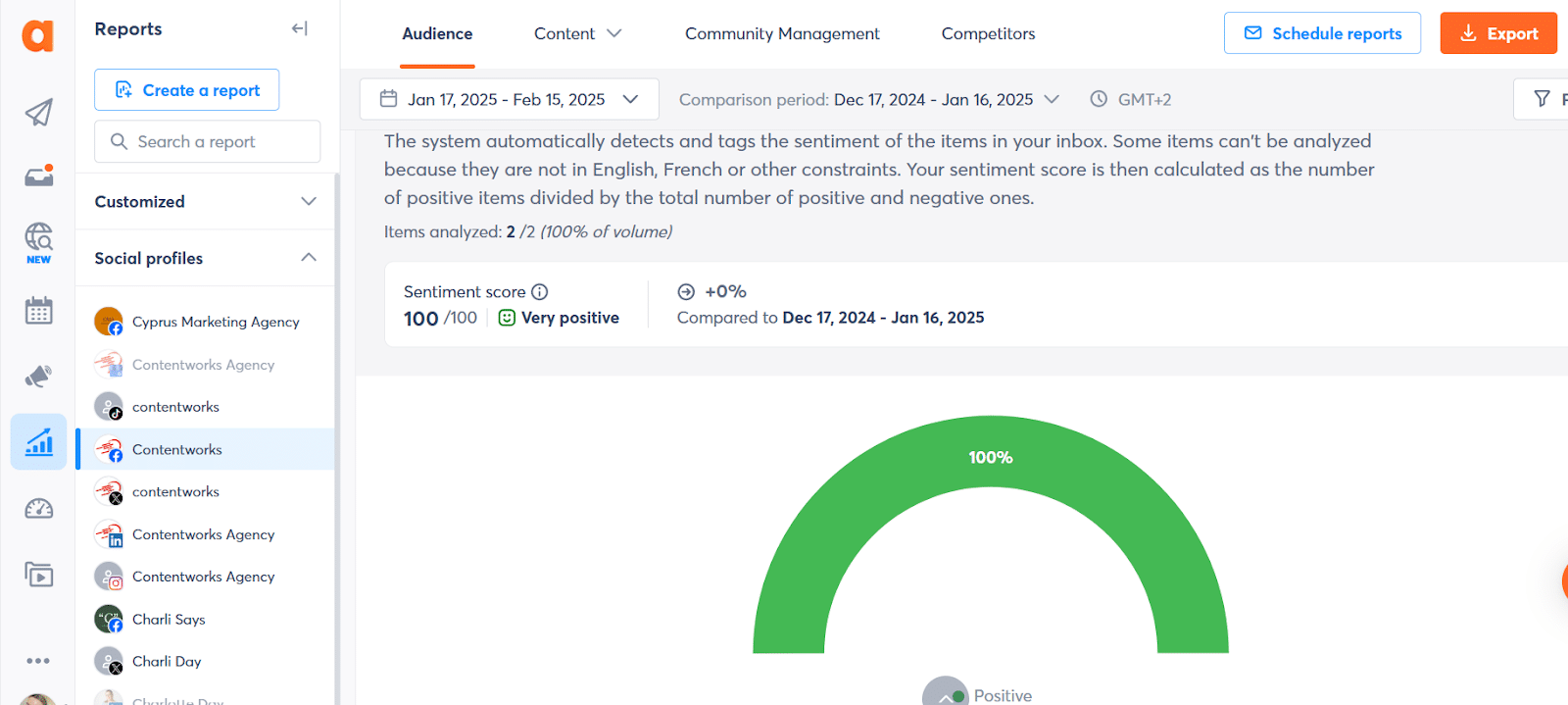
Now, tap on Competitors to access your Page benchmarking data. At a glance you can now see your followers, posts, total engagement and average post engagement at a glance.
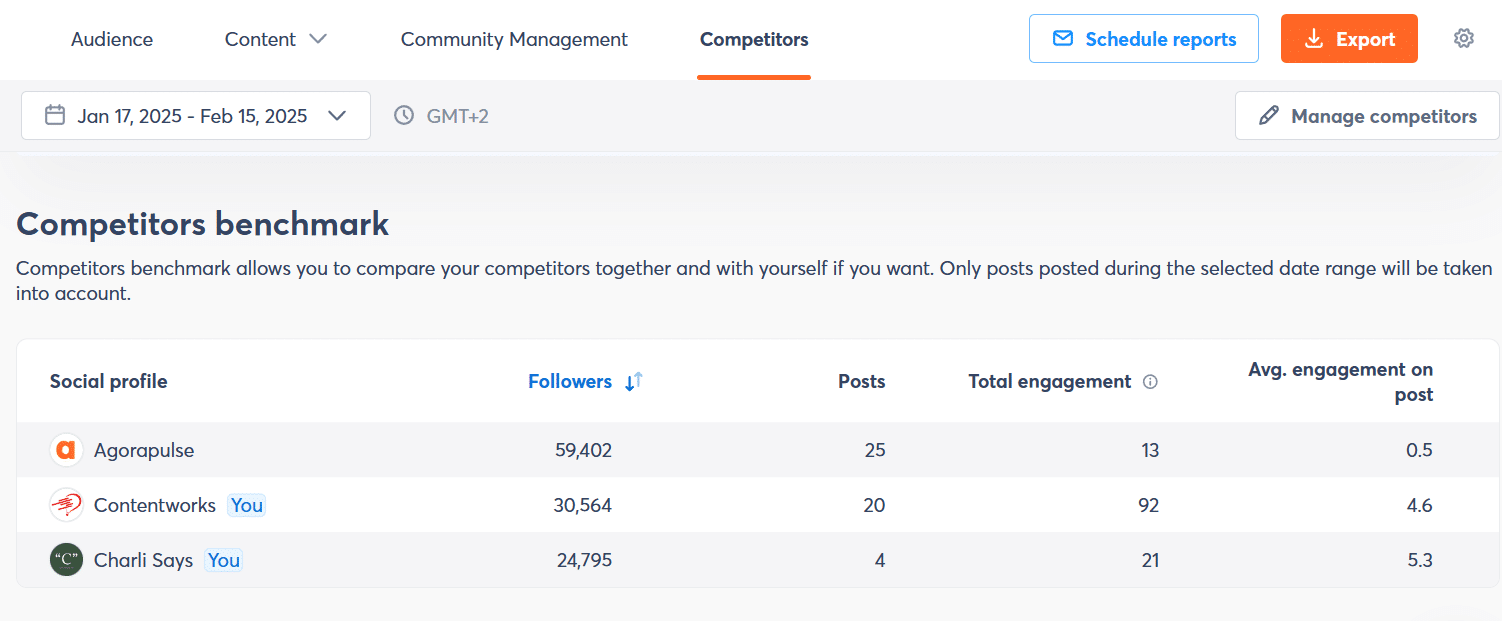
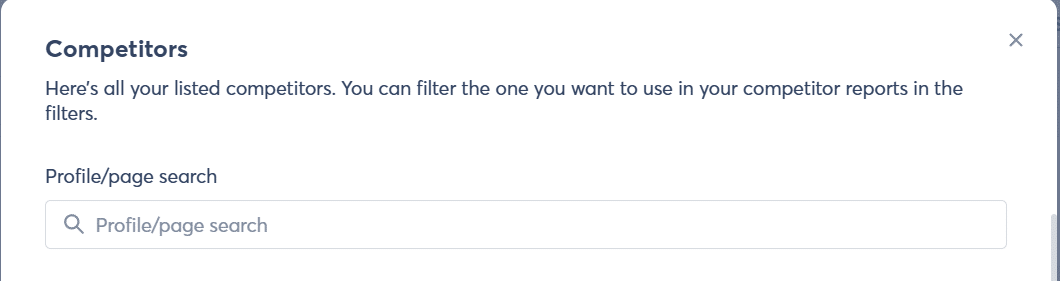
You can add up to five competitor pages in this tab by adding the page you want to watch in the search bar that pops up when you select Manage Competitors. If you want more than five, speak to the Agorapulse team to grab an add-on.
And that’s not all the Competitors Comparison offers you. Here’s what else you can see:
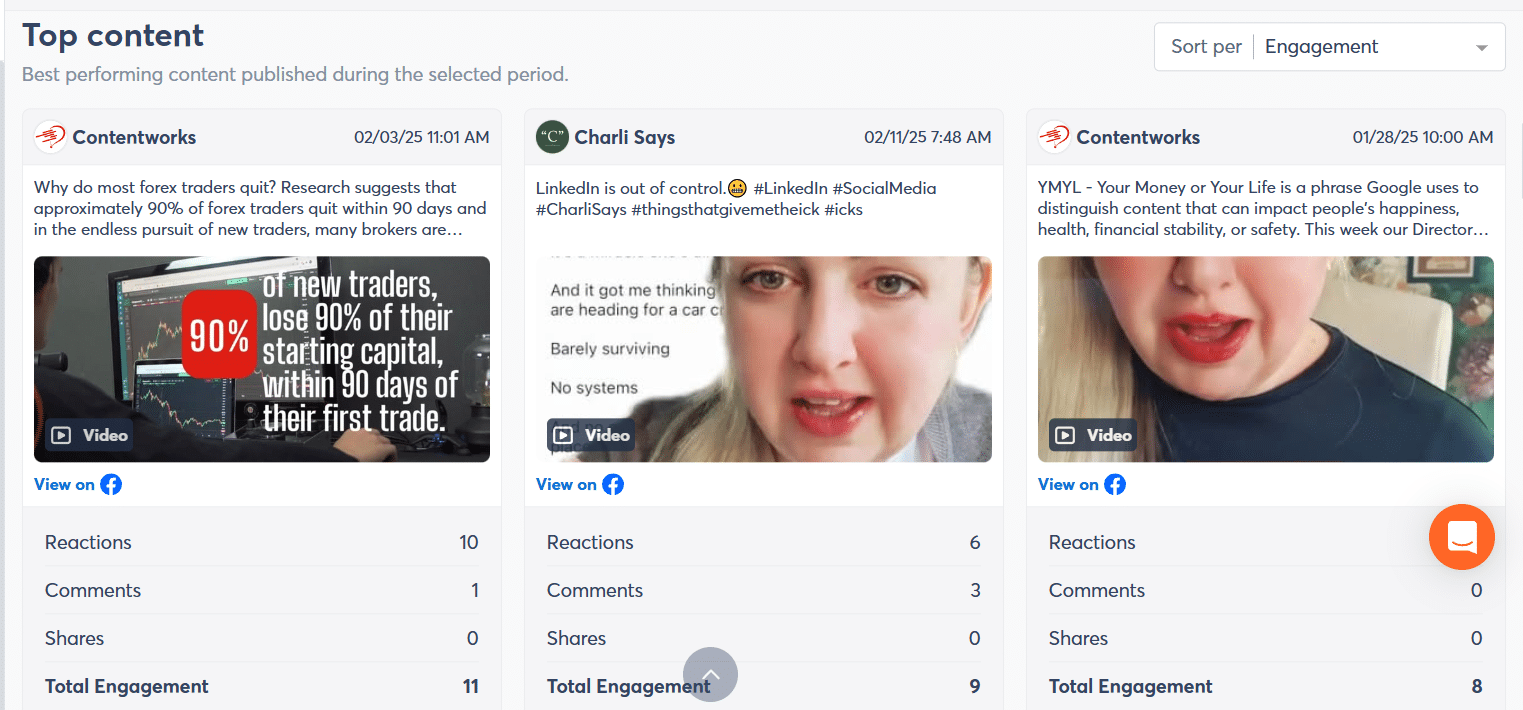
Top Performing Content – Want to see what content has performed best during your benchmarked time period? The grid under the comparison chart will give you an instant snapshot. You can sort your view by choosing from Reactions, Comments, Shares or Engagement in the dropdown.
Pro Tip:
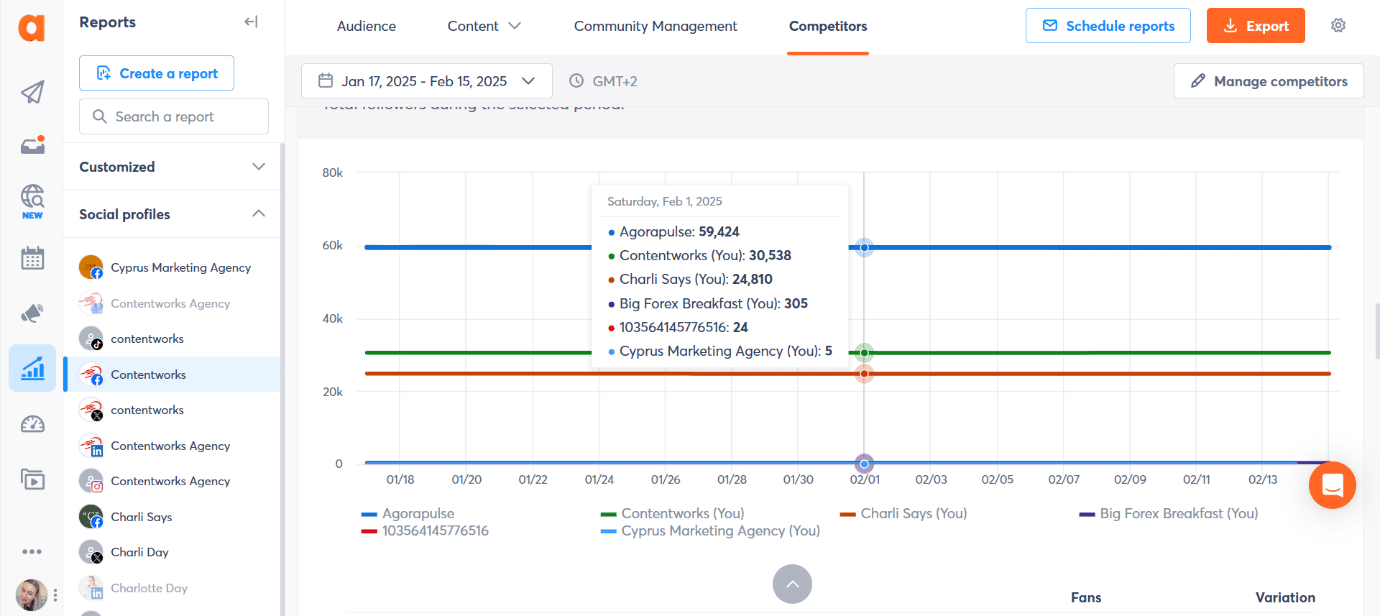
You can also see great visuals which benchmark your Page Likes against your competitors for each day of the month. This might seem like overkill but there are specific times when it isn’t. If you see a Page Like drop for one of your brand pages (or a competitor page), you can pinpoint the exact day it happened. You can then zoom in and look at the content posted on that day. You can then quickly locate the “controversial content” that caused the drop.
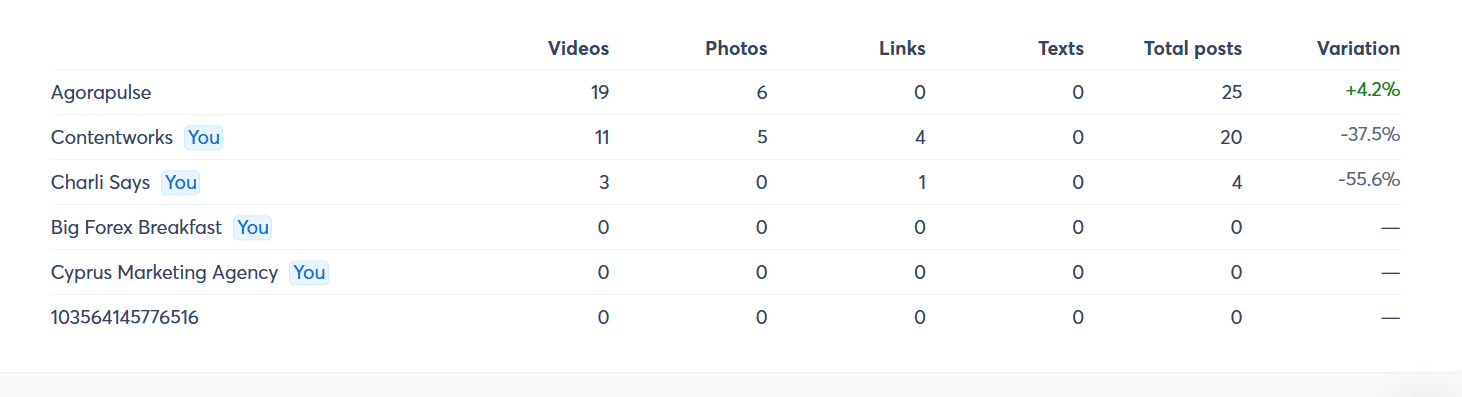
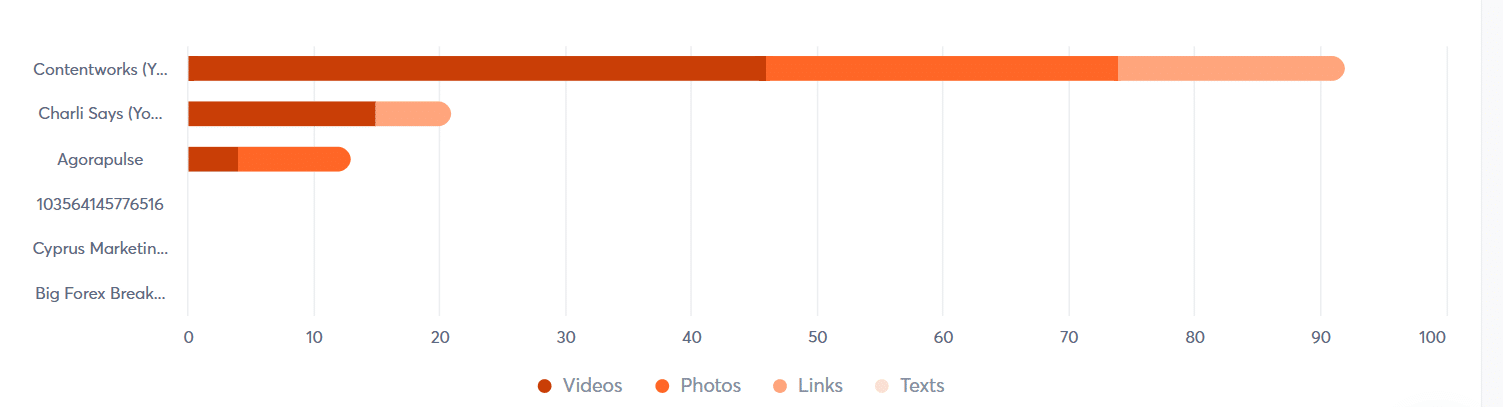
Asset Analysis – You can also see the type of content your competitors are publishing. For example, the Agorapulse Facebook page is killing it with videos and photos as you can see below. That might explain their great engagement! Further down, you can also see competitor engagement for each asset type. Looking at this may help to shape your own content planning going forward.
Export Your Reports – At Contentworks Agency, our clients love nothing more than seeing how they are benchmarked against their competitors. The finance space is intensely competitive and in my experience, this is the part of the report our clients love best. With Agorapulse, you can easily export good looking reports in minutes and send them to your clients.

3. Spy With Social Media Listening
If you want to go beyond what brands publish and understand what people actually say about them, social listening is your unfair advantage. Set up brand, product, and competitor queries to track mention volume, sentiment, share of voice, and emerging topics—then pivot your content and ads accordingly.
How to do it fast in Agorapulse (recommended):
Create Listening searches for competitor brand names, product names, campaign hashtags, and common misspellings. Use the results to spot spikes, find pain points to answer in content, and identify posts/threads worth joining. Agorapulse’s Advanced Listening pulls real-time conversations across social and the web and now routes native FB/IG mentions directly to your Inbox for action, so you can capture context and respond side-by-side.
4. Best Facebook Ads Spying Tools
Use these to identify which creatives, hooks, and offers are most effective in your niche. Start with Meta’s free library, then layer a paid database for performance and filtering depth.
Meta Ad Library (Free)
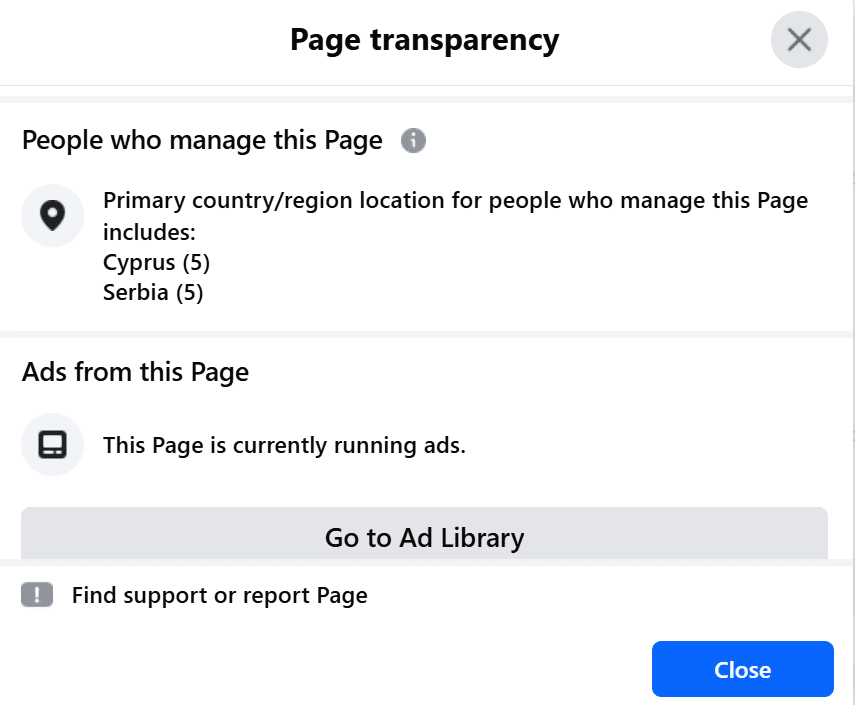
Visit the Facebook Ad Library to see the ads your competitors are running. Then you can analyze their ad formats, messaging, targeting and offers. You can find this information by heading to their Page, selecting About and then Page Transparency. Here you will see details like ad activity, location, and page managers. You can also click into their active ads to see their performance!
AdSpy
Large, searchable database focused on Facebook and Instagram ads with granular filters (countries, technologies, age ranges, engagement, and more). This is useful for drilling into offers and angles. You can zero in on creatives by keywords in ad text, domains in the URL, or even by page IDs to map a competitor’s funnel. Saved searches and alerts make it easy to track new variants as they launch, so you can spot testing patterns over time.
PowerAdSpy
Multi-network ad intelligence with filters for CTA, device/placement, engagement sorting, and date ranges. Handy for spotting long-running creatives and tracking competitor pages. It also surfaces landing pages alongside the ad so you can study the full path from hook to offer, and it’s straightforward to build swipe files by niche or objective.
BigSpy
Cross-platform ad search (incl. Facebook) with keyword + filter workflows to uncover trending creatives. Accessible pricing with a low-entry Pro plan or trial. The dashboard highlights top ads by interaction to quickly see what’s resonating right now. Favor it when you want breadth across many verticals and quick comparative scans without a heavy learning curve.
SocialPeta
Ad intelligence and cost benchmarks with market and competitor analytics. This is useful when you need estimated spend trends and broader category insights alongside creative research. Its charts help you visualize creative volume over time and compare advertiser share of voice within a niche. If you’re planning budgets or prioritizing markets, the benchmarking layer adds useful directional context to the raw creative examples.
PiPiADS (TikTok-first, Facebook included)
Known for TikTok ad research but also supports Facebook. It is helpful if your competitors are heavy on short-form video and you want cross-pollinated creative ideas. Great for extracting hooks, captions, and visual patterns that travel well between platforms. Use it to identify repeatable video structures (openings, transitions, CTAs) and then adapt those into Facebook-friendly formats.
Pro tips for using ad spy tools
-
Reverse-engineer the hook: Sort by engagement/“running longest” to find durable creatives, then analyze the first 3 seconds (visual + headline) to inspire tests.
-
Watch policy-safe angles: If a creative runs for weeks, it likely passes policy—handy guidance for compliant phrasing in regulated niches. (Inference from longevity features across tools.)
-
Tie back to listening data: Feed the pains/benefits you see in social listening into your ad swipe file so your creatives mirror real-world language, not guesses.
More Facebook Spying Tips
Now you’re in the mood for surveillance, let me share some more Facebook competitor spying tactics with you.
Monitor Engagement & Content Strategy – Observe what types of posts (videos, images, carousels) get the most likes, shares, and comments. You can also identify their posting frequency and peak engagement times. You can do this in the Agorapulse Competitor tab. If you see a spike in engagement, zero in on the day and then head to their page to find the post!
- Follow Their Pages Anonymously – Like many marketing agencies, we have dummy Facebook accounts which we can use to follow pages without revealing our identity. Sometimes we also use these pages to ask a question and see how the brand will respond! Remember though, don’t do anything malicious to your competitors. A friendly comment or question will help their engagement as well as your research!
- Monitor Their Influencer Collaborations – See if your competitors partner with influencers or affiliates. Do a little surveillance into their terms and rates to get a feel for their rates and budget.
- Watch Competitor-Followed Trends – If you’re tracking popular trends and hashtags in your space, check to see if your competitors are too. This will give you an idea of how proactive they are. It will also mean you can follow their fans and ambassadors on certain platforms like X.
Ready to Play ‘I Spy’?
Watching your Facebook competition is essential, especially in competitive markets. By analyzing their strategies, you can identify what works well in your industry, spot trends, and refine your own marketing approach. Tracking competitors’ content, engagement, and advertising provides insights into customer preferences, helping you tailor your messaging and campaigns for better results. And of course, don’t forget to pat yourself on the back when you outperform them.