Turn your AI into
a social media
agent.
Connect Agorapulse to Claude, ChatGPT or Copilot and it becomes an agent that works inside your workspace. It answers your inbox, drafts posts, plans your calendar, reads your listening searches and pulls your reports.
Set up in a minute, no code required.
Done. Here's what I did in Agorapulse:
- Replies queued for your approval
- LinkedIn post drafted in the composer
- Sentiment trend from your brand search
Engage, create, listen, report.
Without opening a tab.
Your inbox, content, listening searches and reports sit behind one connection.
The agent reads and acts, and everything it does lands in the workspace your team already uses.
Know your results
Ask how you performed and why. Growth, reach, top content, labeled campaigns, audience demographics and your team's response time, from the engine behind your reports.
Handle your conversations
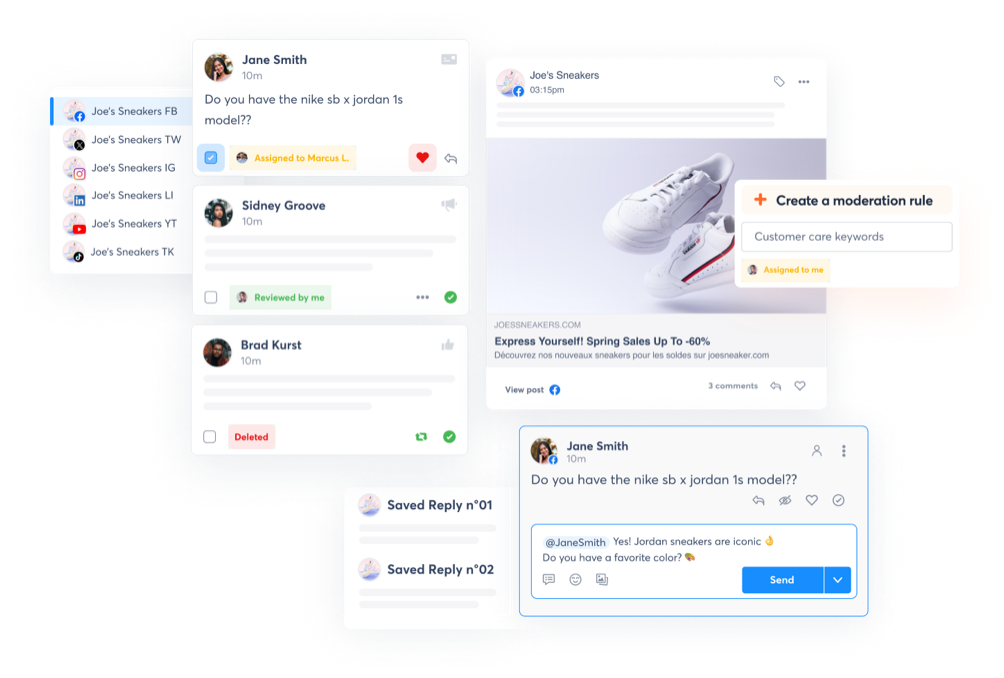
Easily respond with just chatting. Read comments, messages, mentions and reviews across profiles, follow a whole conversation, and reply. Replies follow your own approval workflow.
Listen to your market
All market insights into context. Read what your searches match, the topics around your brand, volumes, engagement and sentiment, competitors included.
Plan and create your content
Use all the learnings for better content. Turn an idea into drafts for each profile, and keep the team's calendar notes up to date.
See your agent at work
before you connect it.
Take the interactive tour and follow a request from the chat to your Agorapulse workspace, step by step.
Three steps, no code.
- 01
Add the connector
In your AI assistant's connector settings, add Agorapulse as a custom connector with the server address below.
- 02
Sign in with Agorapulse
Authorize the connection with your Agorapulse account.
- 03
Start asking
Open a new chat and give your agent a prompt from the library below.
Setting this up for a team? On team and enterprise AI plans your admin may need to approve the connector. Share the server address with them.
Get started with these prompts.
Copy a prompt, hand it to your AI tool and watch it work as a social media AI agent.
Create a draft on our LinkedIn and Facebook pages from this announcement: [paste]. Adapt the tone for each network.
Add a calendar note on [date] to remind the team to prep assets for [campaign]
Go through this week's inbox across all my profiles. Tell me what needs a reply today, what's a complaint, and what can wait.
What are people asking us most this week? Group the messages by topic and show me the three questions that keep coming back.
How is our brand talked about this month? Give me the main topics, the overall sentiment and the three mentions with the most engagement.
Which post formats and labels performed best over the last 90 days? Give me the top three and tell me what to do more of next month.
Compare [client]'s performance this month with last month. Highlight the most useful changes, explain what the data supports and recommend three priorities for our next client meeting.
Which organizations and workspaces do I have access to, and how many profiles are connected in each?
Sort all my connected social profiles into regional groups.
Your agent acts. You
decide what goes live.
It checks with you first
Before replying to a comment or a review, your agent confirms the message with you. If an approval workflow applies, a manager approves it first.
No publish-now button. By design
Your agent never publishes a post on the spot. Drafts always land in Agorapulse, where your team reviews them before anything goes live.
It sees only what you can see.
You sign in with your own Agorapulse account, so your agent works within your permissions. The connector doesn't permanently store your data.
Questions
What people
ask first.
What is an MCP?
The Model Context Protocol is an open standard that lets AI assistants connect to the tools you use. With Agorapulse connected, your AI assistant becomes an agent that works with your real inbox, content, searches and reports.
What can an AI agent do in Agorapulse?
Read and reply to your inbox, create drafts and calendar notes, read your listening searches, and pull analytics, from top content to your team's response time.
Can it publish without approval?
No. It confirms inbox replies with you first, and they follow your approval workflow. There is no publish-now action: posts land in Agorapulse.
Which assistants does it work with?
Claude, ChatGPT and Copilot for now.
Do I need to code?
No. You add a connector in your assistant's settings and sign in with your Agorapulse account.
Is my data safe?
You sign in with your own Agorapulse account. Your AI sees only what your permissions allow, and the connector stores no data. What you share in a chat is also covered by your AI provider's own policies.
What if my IT team limits connectors?
Ask your admin to approve the Agorapulse connector and share the server address with them. Only the data that is available and shared on Agorapulse is made available to your AI assistant.
Which plans include it?
The MCP connector is available to all Agorapulse users for free.
You will also need to have an Admin role on your Claude, ChatGPT, or Copilot accounts.
Your next task is one message away.
Connect Agorapulse to your AI assistant and give your agent its first job.
Free for 30 days, no card required.