If you report on social media for a team or for clients without social media analytics tools, your month probably starts the same way. You open Meta Business Suite, LinkedIn, TikTok and Google Analytics in separate tabs, export the numbers, and rebuild last month’s slides. Native analytics tell you what happened on one network. However, they rarely tell your leadership team what social did for pipeline or revenue.
A social media analytics and reporting tool pulls those numbers into one place, adds context such as competitor benchmarks and sentiment, and turns them into reports you can schedule and share. More importantly, they provide actionable insights for your team as well as leadership.
Quick answer: For mid-market teams and agencies, Agorapulse is the best social media tool for reporting and analytics. It combines custom reports, ROI tracking through Google Analytics and social listening data with publishing and inbox, at a public price. Pick Brandwatch for research-grade consumer intelligence, Emplifi or Sprout Social for enterprise reporting depth, Metricool for organic and paid ads analytics on a budget, and Rival IQ for competitive benchmarking.
Key takeaways
- Native analytics cost nothing but stay siloed by network. A third-party tool removes the monthly export work and adds benchmarks and sentiment.
- Agorapulse leads for mid-market teams and agencies that need to connect social activity to website traffic and conversions.
- Enterprise teams that need deep, custom dashboards should shortlist Emplifi and Sprout Social. Brandwatch leads for large-scale consumer research.
- Check add-ons before you compare prices. Several tools sell listening or advanced analytics separately, which changes the real cost for a team of three or more.
Best social media analytics tool at a glance
Use this table to shortlist two or three social media analytics and reporting tools, then read the full reviews below. Prices are entry-level list prices checked in September 2026.
| Best for | Starting price | Free trial | |
|---|---|---|---|
| Agorapulse |
Use this table to shortlist two or three social media analytics and reporting tools, then read the full reviews below. Prices are entry-level list prices checked in September 2026. |
$79/user/mo (annual) | 30 days |
| Hootsuite |
Teams that want broad network and integration coverage |
$99/user/month (Standard, billed annually) |
14 days |
| Sprout Social |
Larger teams that want deep, customizable reports |
$199/seat/month (Standard, billed annually). Premium Analytics sold separately |
30 days |
| Brandwatch |
Research-grade consumer intelligence |
Custom quote only |
No |
| Emplifi |
Enterprise reporting and governance |
$200/month Essentials (publishing only). Analytics quoted |
No |
| Metricool |
Organic and paid ads analytics on a budget |
Free plan. Starter from $20/month (billed annually, 5 brands) |
No |
| Rival IQ |
Competitive benchmarking |
$239/mo (Drive) | 14 days |
| Iconosquare |
Instagram and visual-first brands |
Free plan. Launch from $39/month (billed annually) |
14 days |
How we chose the best social media analytics tools
We scored each tool against nine criteria that matter when you report to a manager or a client:
- Metric depth and custom reports: post, profile and campaign metrics, plus reports you can rebuild without a spreadsheet.
- ROI and GA4 attribution: the ability to connect a post to website sessions, conversions and revenue.
- Channel coverage: Facebook, Instagram, LinkedIn, TikTok, YouTube, X, Pinterest and Threads.
- Sentiment and social listening data: mentions, sentiment and share of voice beyond your own profiles.
- Competitor tracking: benchmarks against named competitors on owned profiles.
- Report sharing and automation: scheduled PDF or link reports for stakeholders and clients.
- Ease of use: setup time and G2 ease-of-use scores.
- Pricing transparency: public prices and the add-ons you need for a full reporting setup.
- Support quality: G2 and Capterra support ratings.
Our team tested each tool’s reporting features, checked vendor pricing pages in September 2026, and cross-referenced G2 and Capterra review data.
Why social media collaboration tools matter
Approval bottlenecks are a documented, measurable drag on marketing output, not just an occasional annoyance. Research from Canto and Ascend2, summarized by MarketingProfs, found that only 21% of content professionals describe their organization’s workflows as very efficient, and 45% report real inefficiencies or wasted time caused by workflow-related problems.
The most common root cause isn’t a lack of process, it’s an undocumented one: feedback scattered across email, Slack, and verbal conversations in meetings, with no single source of truth for who approved what. A dedicated collaboration tool doesn’t eliminate the need for review, but it gives that review a home, a record, and a deadline.
What to look for in a social media analytics tool
Start from the report you need to send, then work back to the features. Five capabilities separate a real social media analytics and reporting tool from a dashboard of vanity metrics.
Cross-channel reporting and custom dashboards
You want one report that covers every network you publish on, with metrics normalized so you can compare them. Check whether you can build a custom report from scratch, save it as a template, and reuse it each month. For a step-by-step process, see our guide to social media reporting.
ROI and conversion tracking (GA4, UTMs)
Engagement proves attention. Your CFO wants traffic, leads and revenue. Look for a social media analytics tool that adds UTM parameters to links and pulls Google Analytics 4 data back into the report, so you can show sessions and conversions per post or per network. While you are in GA4, check your referral traffic from ChatGPT, Perplexity and Gemini. If prospects find you through AI answers, that traffic belongs in the same report.
Competitor tracking and benchmarking
Say your engagement rate is 3%. That number means more once you know whether your three closest competitors sit at 1.8% or 5%. Competitor tracking compares your owned profiles against theirs on follower growth, posting frequency and engagement. Check how many competitors each plan lets you track.
Sentiment analysis and social listening data
Your own profiles show only part of the conversation. Social listening tracks mentions of your brand, products and competitors across networks, news sites, blogs and forums, then scores sentiment. Share of voice, your share of mentions against competitors, gives leadership a single number for brand health.
Automated, shareable reports for stakeholders and clients
If you rebuild the same deck every month, you lose a day of analysis time. Look for scheduled reports that land in inboxes as PDFs or links, and for agency plans, reports branded with your client’s logo.
The 8 best social media analytics and reporting tools, reviewed
Each review covers who the tool suits, its main analytics features, honest pros and cons, and list pricing checked in September 2026.
1. Agorapulse: best social media analytics tool for mid-market teams and agencies
Best for: mid-market brands and agencies that need to prove ROI and report to clients without buying a separate analytics tool.
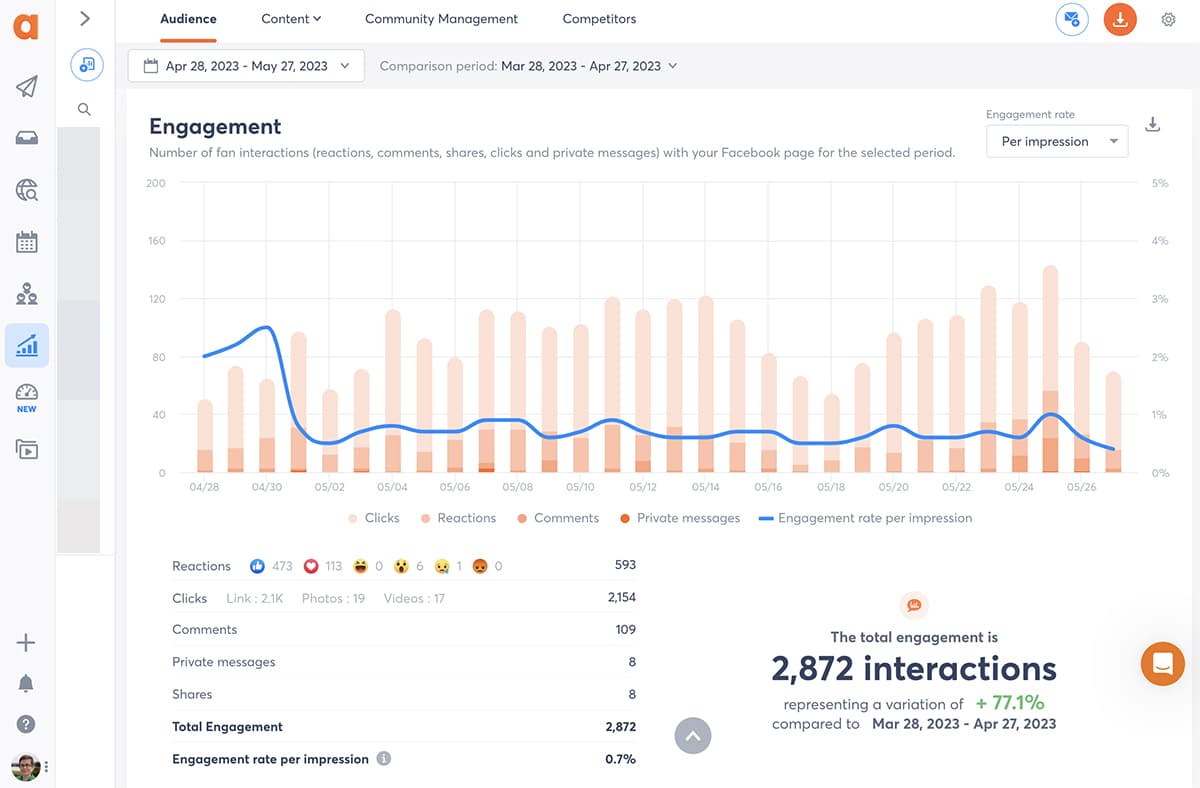
Agorapulse combines publishing, a unified inbox, reporting and optional social listening in one account. Its reporting stands out for one reason: it connects social activity to what happens on your website.
Key analytics features
- ROI reporting with Google Analytics 4: Agorapulse tags your links and pulls GA4 data into reports, so you can show sessions, conversions and revenue by post, profile or campaign.
- Custom reports in Report Studio: build reports across profiles, save them as templates, and schedule them for stakeholders or clients.
- Competitor benchmarking: compare your profiles with competitors on growth and engagement.
- Inbox and team reports: track response time and response rate, useful when your social team also handles customer care.
- Agorapulse Listening (add-on): sentiment, share of voice and AI noise screening across Facebook, Instagram, X, LinkedIn, YouTube, Reddit, TikTok mentions, news sites, blogs and forums, with 24 months of history.
Pros
- ROI reporting ties posts to GA4 traffic and conversions, which most schedulers leave out.
- Support scores 9.1 for quality of support on G2, against 8.2 for Hootsuite and 8.6 for Sprout Social.
- Public pricing, with inbox, reporting and publishing in the same plan.
Cons
- Less enterprise reporting depth than Sprout Social or Emplifi. Agorapulse does not offer interactive, live-link dashboards.
- ROI and competitor reports start on Advanced ($149/user/month billed annually), so you pay per seat for the full reporting setup.
- Listening is an add-on feature.
Pricing: Standard $79, Professional $119 and Advanced $149 per user per month, billed annually ($99, $149 and $199 billed monthly). Each plan includes 10 social profiles. Custom plans are quoted. You get a 30-day free trial with no card.
Choose it if you run social for several brands or clients and need reports that show traffic and conversions. Skip it if you need enterprise dashboards with dozens of custom widgets, or a research-grade listening engine.
2. Hootsuite: best social media analytics tool for broad network coverage
Best for: teams that want wide network and integration coverage, and enterprise listening from the same vendor.
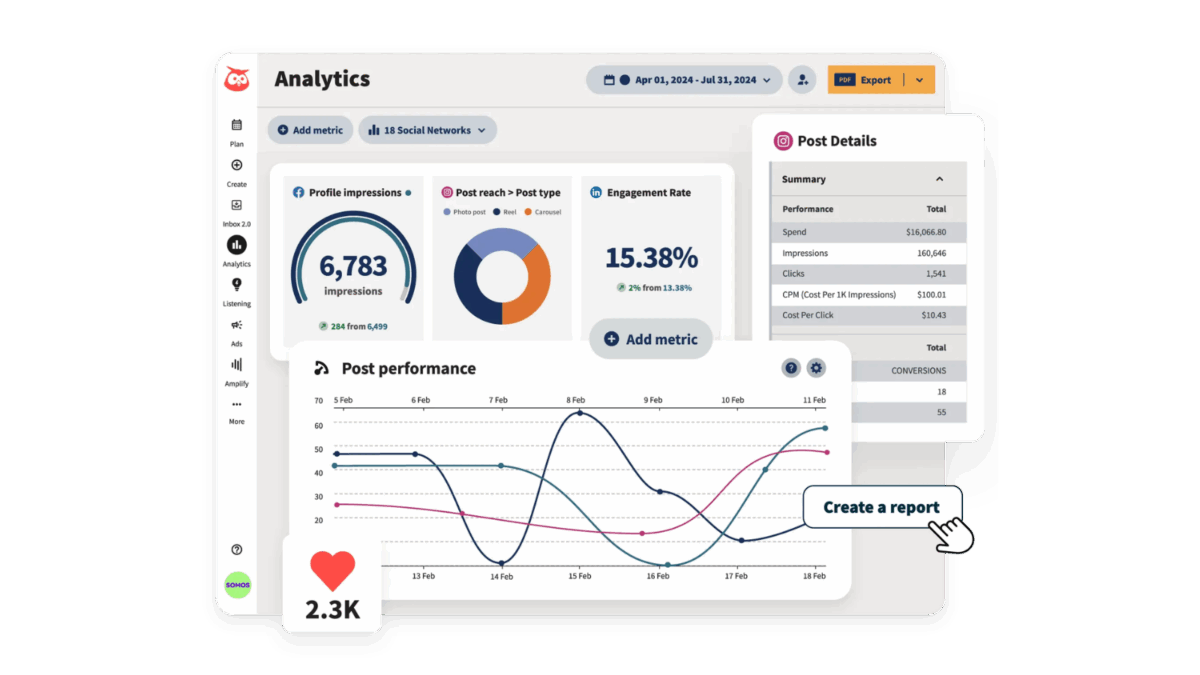
In 2026 Hootsuite rebuilt its product as Social OS, a suite of four connected apps: Perch for publishing and analytics, Nest for customer care, Parliament for advocacy and Lumen for listening, with an AI layer called Wisdom across all four. Lumen runs on Talkwalker, which gives Hootsuite’s top tiers genuine enterprise listening.
Key analytics features
- Cross-network performance reports and scheduled exports.
- Custom reports on higher tiers.
- Talkwalker-powered listening and sentiment through Lumen.
- Wisdom, an AI assistant that summarizes performance and drafts next steps.
Pros
- One of the broadest network and integration ecosystems in the category.
- Strong listening at the top tier, backed by Talkwalker.
- An established brand that procurement teams already know.
Cons
- Support scores 8.2 on G2, against Agorapulse’s 9.1.
- Approval workflows and advanced features sit on the higher tiers.
- The breadth of apps and settings comes with a learning curve.
Pricing: Standard starts at $99/user/month, billed annually, with up to 10 social accounts. Higher tiers are listed at up to $399/user/month, and Enterprise is quoted. Hootsuite offers a free trial.
Choose it if you need listening depth and many integrations from one vendor. Skip it if you want advanced reporting on a mid-market budget.
Source: Hootsuite
3. Sprout Social: best for advanced, customizable reporting
Best for: larger in-house teams that want deep, presentation-ready reports and can budget for add-ons.
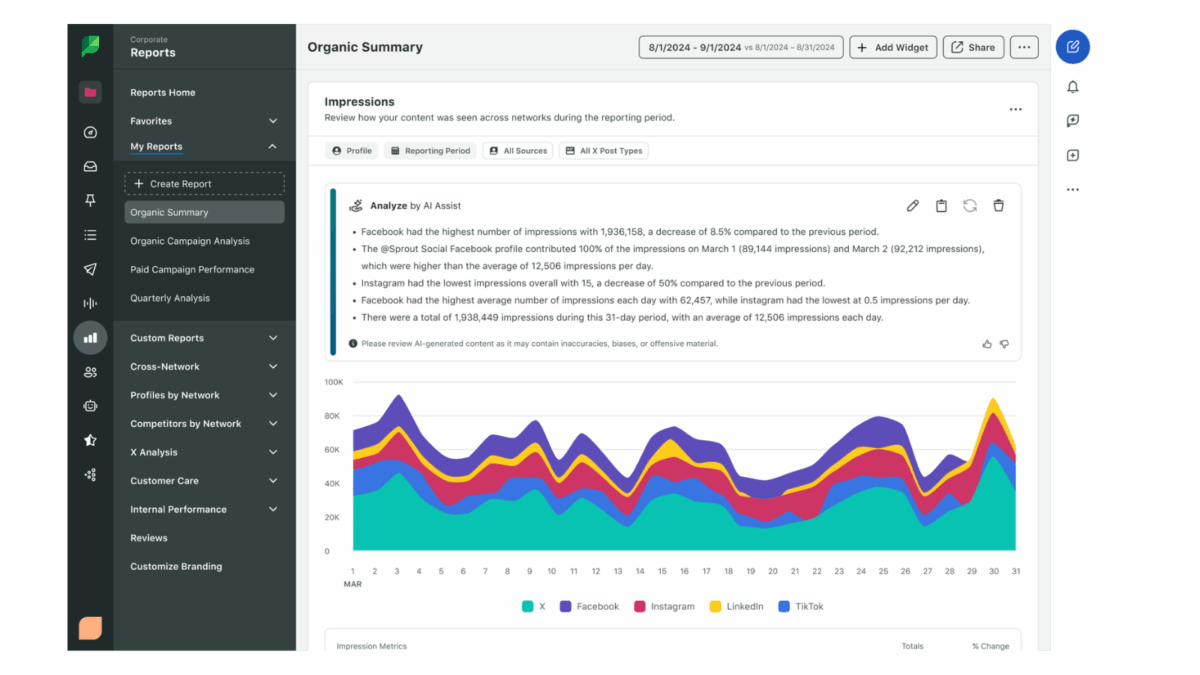
Sprout Social has a well-earned reputation for reporting. Its report builder, competitive reports and Premium Analytics add-on give analysts more control over dashboards than most tools on this list.
Key analytics features
- Pre-built and custom reports across profiles, with presentation-ready exports.
- Competitive reports from the Professional plan.
- Premium Analytics add-on for custom benchmarking and shareable reports.
- Inbox sentiment on the Advanced plan, and a Social Listening add-on with strong Reddit and review-site coverage.
Pros
- Some of the deepest reporting in the mid-to-enterprise market.
- Interactive, shareable reports that executives can explore.
- Listening covers sources such as Reddit, Glassdoor and app stores.
Cons
- Per-seat pricing from $199/month, before add-ons.
- Premium Analytics and Social Listening are quote-only add-ons.
- Capterra users rate value for money 3.9, against 4.4 for Agorapulse.
Pricing: Essentials $79, Standard $199, Professional $299 and Advanced $399 per seat per month, billed annually. Enterprise is quoted. You get a 30-day free trial.
Choose it if reporting depth matters more than cost and you have budget for add-ons. Skip it if you run a team of five or more on a mid-market budget.
Source: Sprout Social
4. Brandwatch
Best for: enterprise insights and research teams that analyze consumer conversation at scale.
Brandwatch, part of the Cision family, leads this list on consumer intelligence. Insights teams use it to study years of historical conversation across a broad set of sources, and its Iris AI helps them surface trends and themes.
Key analytics features
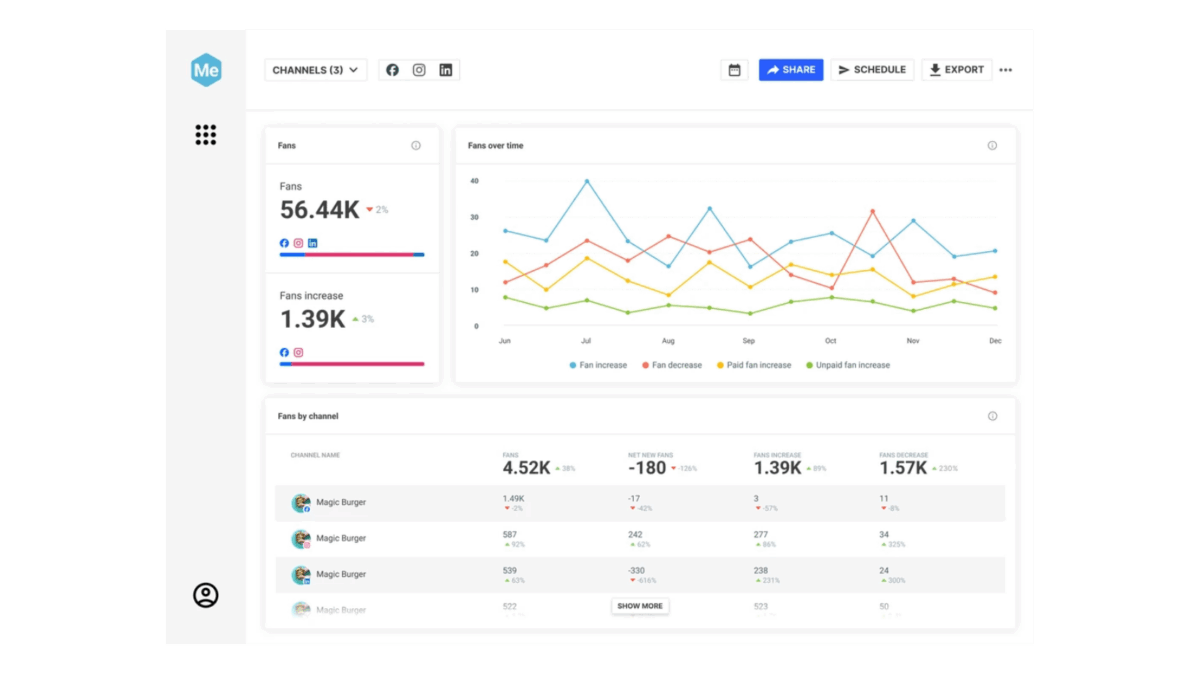
- Deep historical data and broad source coverage for consumer research.
- Iris AI for trend detection and conversation summaries.
- Custom dashboards built for analysts.
- Separate Social Media Management and Influencer Marketing products.
Pros
- The strongest research-grade listening and consumer intelligence on this list.
- Historical depth that suits brand tracking and market research.
Cons
- Brandwatch sells three separately purchased solutions, invoiced annually in advance.
- No public pricing.
- Its social media management product scores 4.0 on G2, against 4.5 for Agorapulse.
Pricing: Brandwatch publishes no prices. Contact sales for a quote and a demo.
Choose it if your team runs consumer research or brand tracking at enterprise scale. Skip it if you mainly need monthly performance reports for owned channels.
Source: Brandwatch
5. Emplifi: best for enterprise reporting and governance
Best for: global brands that need consistent reporting, permissions and governance across many teams and markets.
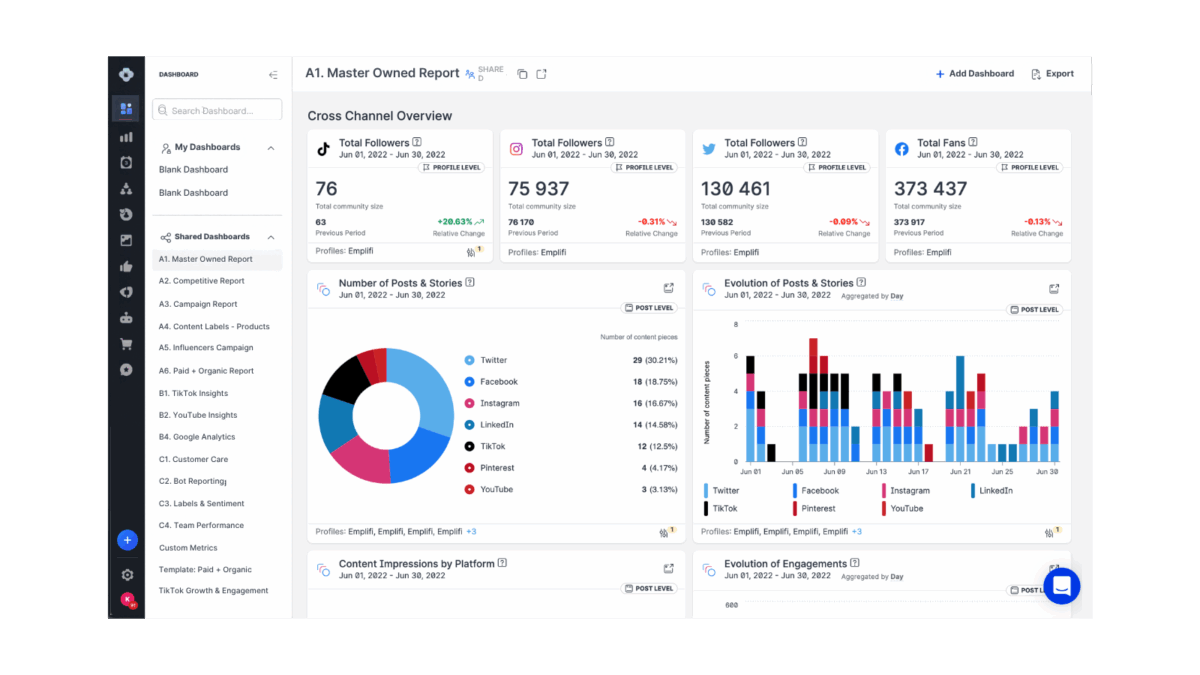
Emplifi formed from the merger of Socialbakers, Astute and Pixlee. Its reporting goes deeper than many other tools today, and it keeps the interface and permissions consistent across its modules, which matters when dozens of regional teams share one account.
Key analytics features
- Enterprise dashboards and benchmarking inherited from Socialbakers.
- Consistent permissions and governance across modules.
- Customer care and user-generated content modules sold alongside analytics.
Pros
- Reporting depth that suits enterprise analytics teams.
- Strong governance for multi-market organizations.
Cons
- Modular pricing, with analytics quoted separately.
- Contracts often run 12 to 36 months.
Pricing: Essentials starts at $200/month for 10 accounts and 2 users, covering publishing only. Analytics and other modules are quoted.
Choose it if you need enterprise governance and reporting across many markets. Skip it if you run a team of fewer than 20 people or want month-to-month flexibility.
Source: Emplifi
6. Metricool: best for combined organic and paid ads analytics
Best for: freelancers, small agencies and marketers who want organic and paid social reporting in one dashboard at a low price.
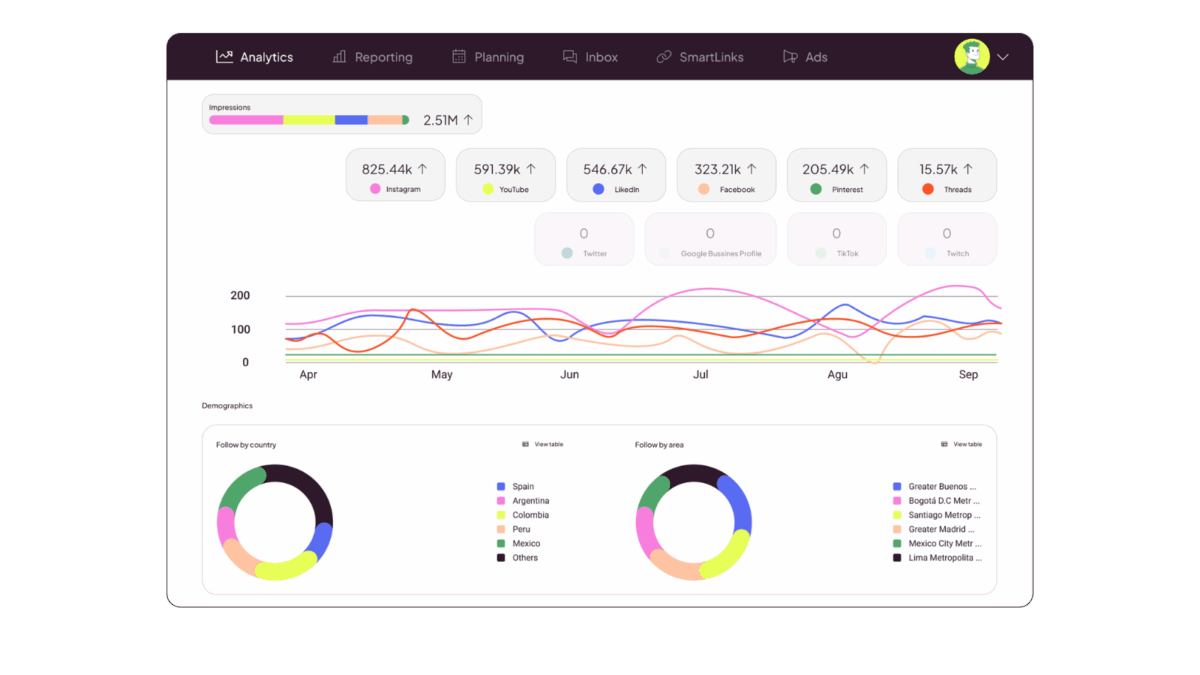
Metricool launched in 2014 as an analytics tool for Twitter (the name combines “metrics” and “cool”) and added scheduling later. That analytics-first history shows: it reports on organic social and on Google, Meta and TikTok ads side by side.
Key analytics features
- Organic and paid ads reporting for Google, Meta and TikTok in one dashboard.
- Unlimited analytics history on paid plans.
- Competitor tracking and customizable report templates.
- Looker Studio connector and API on the Advanced plan.
Pros
- Paid ads reporting that most management tools on this list don’t match.
- Pricing by brand rather than by user, which keeps costs low for solo operators.
- A permanent free plan for one brand.
Cons
- The free plan excludes LinkedIn and X, and X costs $10/month per connected account on paid plans.
- Team management and approval workflows start on Advanced.
- Listening and inbox features are lighter than in full management suites.
Pricing: Free for 1 brand. Starter from $20/month billed annually for up to 5 brands, and Advanced from $53/month billed annually for up to 15 brands.
Choose it if you report on organic and paid social for several small brands. Skip it if you need listening, a full inbox or team workflows on a starter budget.
Source: Metricool
7. Rival IQ: best for competitive benchmarking
Best for: strategists and agencies who need to show clients how their social performance compares with competitors and industry peers.
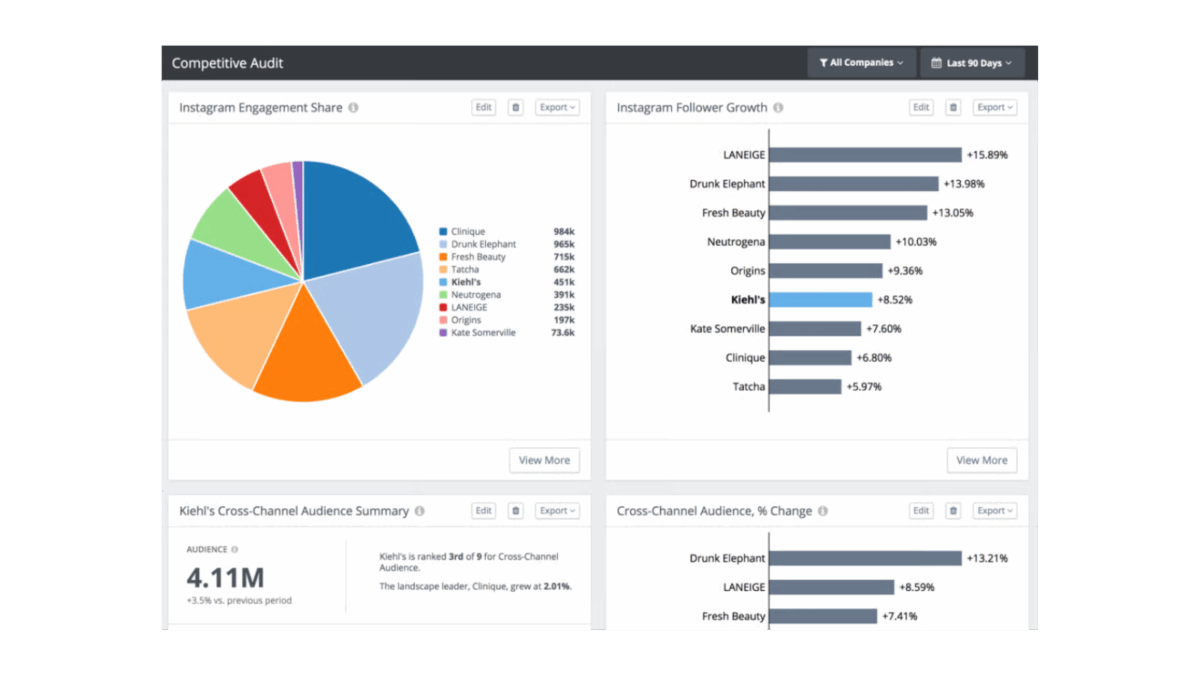
Rival IQ benchmarks owned profiles, yours and your competitors’, across Facebook, Instagram, X, LinkedIn, TikTok and YouTube. It is a benchmarking tool, not a brand-mention listening tool: it measures how profiles perform, not what people say about a brand across the web.
Key analytics features
- Competitive landscapes that compare engagement, growth and content performance.
- Alerts when a competitor’s post outperforms.
- Scheduled PDF and CSV reports and custom dashboards.
- Facebook and Instagram ads analytics on higher plans.
Pros
- Head-to-head scorecards that clients understand at a glance.
- Fast setup, and a G2 rating of 4.5.
Cons
- No publishing or inbox, so you still need a management tool.
- The Drive plan includes 1 user and 6 months of data.
Pricing: Drive $239/month (10 tracked companies), Engage $349/month and Engage Pro $559/month, with 15% off annual plans. You get a 14-day free trial with no card.
Choose it if competitive benchmarking is the core of your reporting. Skip it if you want reporting inside the tool you already publish with.
Source: Rival IQ
8. Iconosquare: best for Instagram-focused analytics
Best for: visual-first brands and small agencies that live on Instagram, TikTok and Pinterest.
Iconosquare, a French company, started as an Instagram analytics tool and now covers Instagram, Facebook, LinkedIn, TikTok, X, Pinterest, Threads and YouTube.
Key analytics features
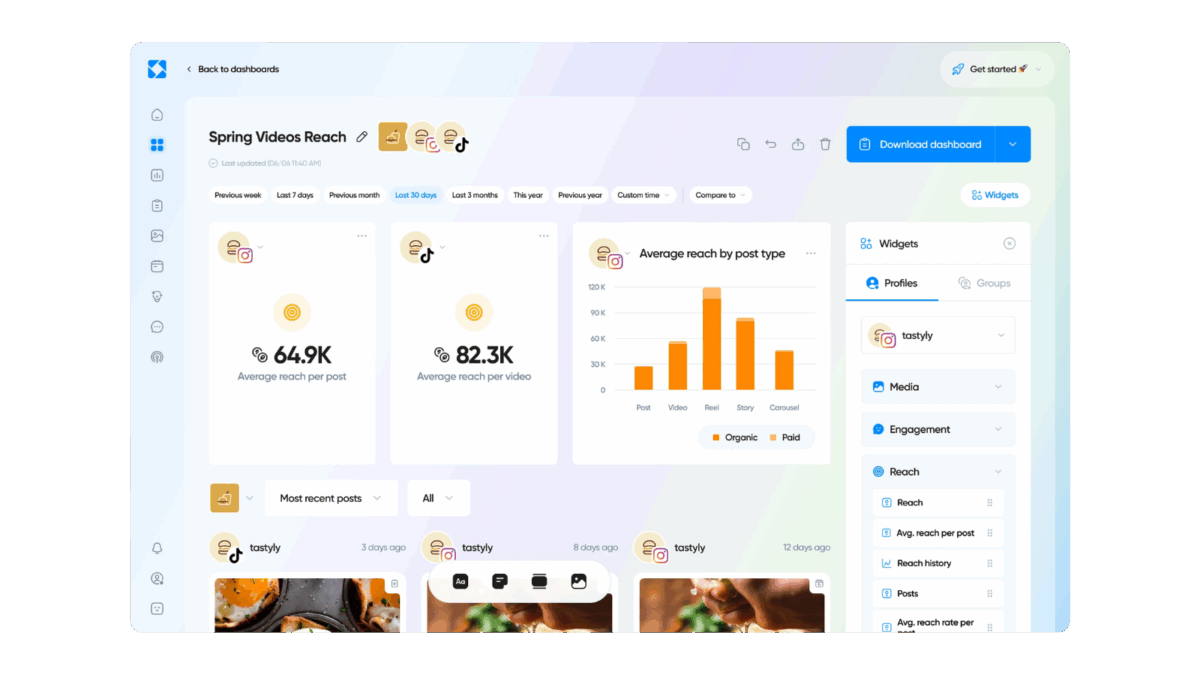
- Detailed Instagram and TikTok analytics, including Reels and Stories.
- Competitor monitoring and hashtag tracking.
- Automated reports for teams and clients.
Pros
- Visual, easy-to-read dashboards.
- A permanent free plan and a low paid entry price.
Cons
- X is available only from the Launch plan.
- Less reporting depth than enterprise tools for multi-market teams.
Pricing: Free plan for 1 user and 2 profiles. Paid plans run from Starter to Scale, with Launch at $39/month billed annually. You get a 14-day free trial with no card.
Choose it if Instagram and TikTok drive most of your results. Skip it if LinkedIn and ROI reporting matter more to your stakeholders.
Source: Iconosquare
Want to see how your own reporting stacks up? Start a free 30-day Agorapulse trial and build your first ROI report in minutes.
Social media analytics tools compared: features side by side
Sentiment analysis and competitor tracking split this list most clearly. Several tools sell them only on higher plans or as add-ons.
| Tool | Channel coverage | Sentiment analysis | Competitor tracking | Free trial |
|---|---|---|---|---|
| Agorapulse | Facebook, Instagram, LinkedIn, X, TikTok, YouTube, Pinterest, Google Business Profile | Yes, with the Agorapulse Listening add-on | Yes, Advanced plan | 30 days |
| Hootsuite | All major networks, plus a large integration library | Yes, through Lumen on higher tiers | Yes | Yes |
| Sprout Social | All major networks; listening adds Reddit and review sites | Inbox sentiment on Advanced; full sentiment with the Listening add-on | Yes, from Professional | 30 days |
| Brandwatch | Social networks plus a broad set of web, news and forum sources | Yes | Yes | Demo |
| Emplifi | All major networks | Yes | Yes | Demo |
| Metricool | 11 platforms, including TikTok, YouTube, Pinterest, Threads and Bluesky (X as a paid add-on) | No | Yes | Free plan |
| Rival IQ | Facebook, Instagram, X, LinkedIn, TikTok, YouTube | Yes, on Engage plans | Yes, core feature | 14 days |
| Iconosquare | Instagram, Facebook, LinkedIn, TikTok, X, Pinterest, Threads, YouTube | Limited, via listening tools on Scale | Yes | 14 days |
How much do social media analytics tools cost?
Most social media analytics tools cost between $20 and $400 per user per month, and enterprise platforms quote custom prices. List prices hide the real bill, so we modeled three team sizes on the tiers that include competitor reporting.
| Team setup | Agorapulse Advanced | Sprout Social Professional | Hootsuite (cheapest tier that fits) |
|---|---|---|---|
| 1 user, 10 profiles | $149/month | $299/month | $99/month (Standard) |
| 3 users, 25 profiles | $597/month (includes 15 extra profiles at $10 each) | $897/month | $597/month (Professional) |
| 5 users, 50 profiles | $1,145/month (includes 40 extra profiles at $10 each) | $1,495/month | $995/month (Professional) |
All figures use annual billing and list prices from September 2026, before discounts and taxes. Sprout Social’s Premium Analytics and Social Listening add-ons, Hootsuite’s higher-tier listening and Agorapulse Listening all add to these totals.
Three points change the math:
- Per-user vs. per-brand pricing: Agorapulse, Sprout Social and Hootsuite charge per seat. Metricool charges per brand band, starting at $20/month for up to 5 brands, which suits solo operators.
- Add-ons: Sprout Social sells Premium Analytics and Social Listening as quote-only add-ons. Emplifi prices analytics as a separate module.
- Free options: native analytics (Meta Business Suite, LinkedIn Page analytics, TikTok analytics) and Google Analytics 4 cost nothing. Metricool and Iconosquare offer free plans. Agorapulse’s free Archie plan covers AI content creation and publishing for up to 50 Facebook, Instagram and LinkedIn profiles, without inbox or listening.
How to choose the right social media analytics tool for your team
Pick the tool that matches the report you send most often, then check that your team size fits its pricing model.
| If your main need is… | Shortlist |
|---|---|
| ROI reporting for a mid-market team or agency, with publishing and inbox in the same tool | Agorapulse |
| Enterprise dashboards and governance across many markets | Emplifi or Sprout Social |
| Consumer research and brand tracking at scale | Brandwatch |
| Organic and paid ads reporting on a small budget | Metricool |
| Head-to-head competitor benchmarking | Rival IQ |
| Instagram and TikTok performance for a visual brand | Iconosquare |
| Broad network coverage with enterprise listening | Hootsuite |
If you are a solo creator who only needs follower and engagement counts, a lightweight scheduler’s built-in analytics, such as Buffer’s, may cover you. If you need PR and broadcast monitoring or Fortune-500 customer experience management, look at Meltwater or Sprinklr, which sit outside the scope of this list.
Before you buy, run a trial with last month’s real data. Rebuild the report you sent your manager or client, and time how long it takes.
Social media analytics tools FAQ
What is the best social media tool for reporting and analytics?
For mid-market teams and agencies, Agorapulse is the best social media tool for reporting and analytics. It connects posts to GA4 traffic and conversions and schedules client-ready reports. Enterprise teams that need deeper dashboards should compare Emplifi and Sprout Social, and research teams should look at Brandwatch.
Are there free social media analytics tools?
Yes. Native analytics in Meta Business Suite, LinkedIn and TikTok cost nothing, and Google Analytics 4 tracks social traffic for free. Metricool and Iconosquare offer free plans with basic analytics for one brand or two profiles. Free tools rarely combine every network in one report or benchmark competitors.
What’s the difference between social media analytics and social listening tools?
Social media analytics tools measure the performance of profiles you own: reach, engagement, clicks and conversions. Social listening tools track what people say about your brand, products and competitors across social networks, news sites, blogs and forums. Listening adds sentiment and share of voice. Some platforms, such as Agorapulse, offer both.
Which social media analytics tool is best for agencies?
Agorapulse suits agencies that manage several clients and need scheduled, client-ready reports with ROI data from GA4. Metricool works for small agencies on a budget because it prices by brand. Rival IQ adds competitive benchmarks that help agencies show clients where they stand against competitors.
Can social media analytics tools track ROI?
Some can. Tools such as Agorapulse add UTM parameters to your links and pull Google Analytics 4 data into reports, so you can see sessions, conversions and revenue from each post or network. Tools without a GA4 connection report engagement only, and you calculate ROI yourself in a spreadsheet.
Do I need a separate analytics tool if I already use a social media management platform?
Often you don’t. Most management platforms include reporting, and some, such as Agorapulse, include ROI and competitor reports. You may add a specialist tool for research-grade listening (Brandwatch) or dedicated competitive benchmarking (Rival IQ). Check your current plan’s reporting features before buying a second tool.
Start your free Agorapulse trial
If you spend the first day of each month exporting numbers from five dashboards, test Agorapulse with your own accounts. Connect your profiles and Google Analytics 4, build one ROI report, and schedule it to reach your manager or client on the first of next month.
The trial runs 30 days, and you don’t need a credit card. Start your free 30-day trial