TL;DR: The best social media collaboration tool for most agencies and in-house teams is the one that combines approval workflows, role-based permissions, and a shared calendar in a single login, rather than stitching a scheduler to a separate approval app. We evaluated 10 platforms against seven concrete criteria, from multi-step approvals to mobile sign-off, and ranked them by how well they support real content review cycles.
Agorapulse leads for teams that want approvals, a unified inbox, and reporting together; Planable leads for agencies whose entire job is client review; and Buffer or Loomly cover the lighter end for smaller teams. No single tool wins every category, so the right pick depends on how many approval steps your content actually needs and who outside your core team has to sign off before it goes live.
Quick answer: social media collaboration tools compared
| Tool | Best for | Starting price | Free trial |
|---|---|---|---|
| Agorapulse | Agencies and mid-market teams wanting approvals, inbox, and reporting in one platform | $79/user/mo (annual) | 30 days, no card |
| Hootsuite | Large teams already inside the Hootsuite ecosystem | $99/user/mo (annual) | 30 days |
| Sprout Social | Enterprise teams needing deep reporting alongside approvals | $199/seat/mo (annual) | 30 days |
| Planable | Agencies whose core job is client content review | Free (50-post cap); $33/workspace/mo paid | Free plan, no card |
| Later | Visual-first teams planning Instagram and TikTok grids | $25/mo (Starter) | 14 days |
| Buffer | Small teams wanting simple, transparent per-channel pricing | Free (3 channels); $6/channel/mo paid | Free plan, no card |
| SocialPilot | Agencies managing many clients on a budget | $30/mo (Essentials) | 14 days |
| Sendible | Agencies wanting bundled user-and-profile pricing | $29/mo (Creator) | 14 days |
| Loomly | Editorial teams that live inside a structured approval flow | $65/mo (Starter) | 15 days |
| Zoho Social | Teams already running on Zoho CRM or Zoho Desk | Free (1 brand, 1 user); $65/mo for approvals | 15 days |
What is a social media collaboration tool?
A social media collaboration tool is software that lets more than one person plan, review, and approve social content before it publishes, instead of relying on email threads or screenshots passed around a group chat.
At minimum, that means a shared calendar and some form of commenting. At the higher end, it means multi-step approval routing, role-based permissions that limit what each person can see or touch, and a way for people outside the core team (a client, a legal reviewer, a manager) to sign off without getting full account access. Scheduling tools publish content. Social media collaboration tools coordinate the people who decide what gets published.
Why social media collaboration tools matter
Approval bottlenecks are a documented, measurable drag on marketing output, not just an occasional annoyance. Research from Canto and Ascend2, summarized by MarketingProfs, found that only 21% of content professionals describe their organization’s workflows as very efficient, and 45% report real inefficiencies or wasted time caused by workflow-related problems.
The most common root cause isn’t a lack of process, it’s an undocumented one: feedback scattered across email, Slack, and verbal conversations in meetings, with no single source of truth for who approved what. A dedicated collaboration tool doesn’t eliminate the need for review, but it gives that review a home, a record, and a deadline.
What to look for in a social media collaboration tool
We scored every tool in this list against the same seven criteria, and every “why it made the list” section below references these directly:
- Approval workflows (single-step vs. multi-step, role-based routing)
- Role-based permissions (client/agency access vs. internal team access)
- In-context commenting or annotation directly on drafts
- Shared content calendar visibility across the team
- Client or external stakeholder access without a full seat
- Mobile approval capability (can a manager approve from a phone)
- Integrations with tools teams already use (Slack, Google Drive, Canva, Teams)
A tool doesn’t need to lead on all seven to make this list. Several of the platforms below are honest specialists, strong on two or three criteria and weak on the rest, and we’ve called that out rather than pretending otherwise.
The best social media collaboration tools in 2026
1. Agorapulse
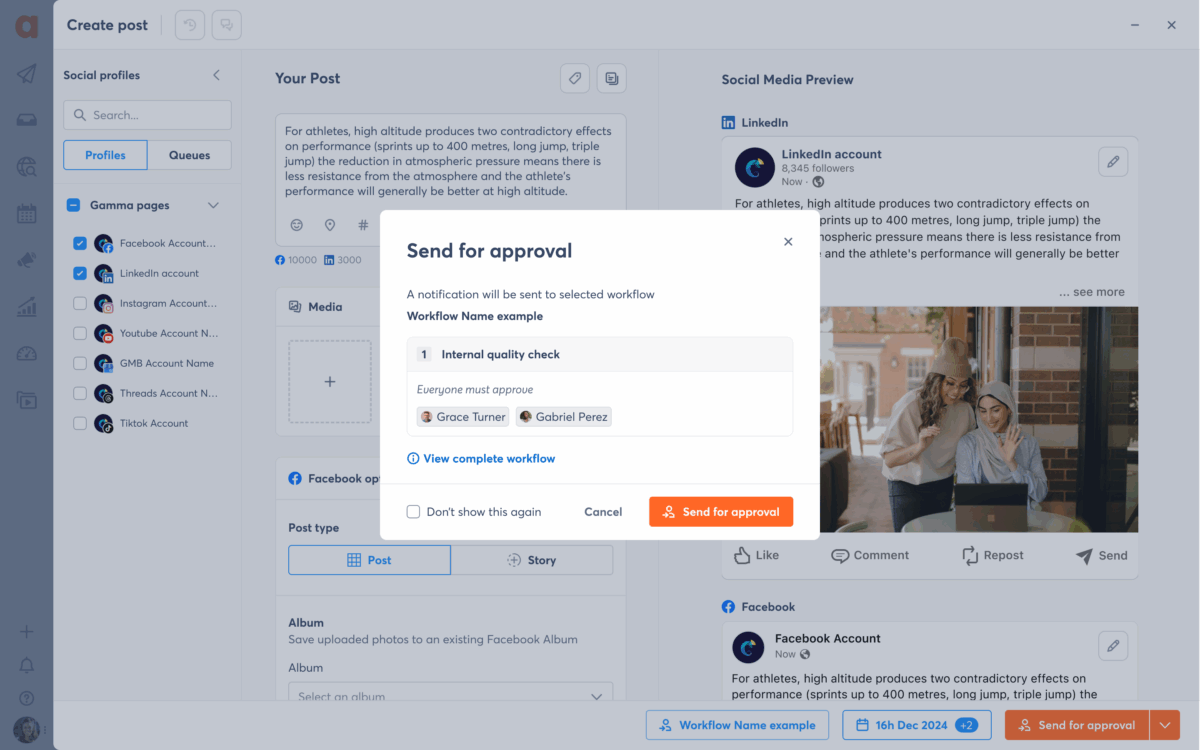
Agorapulse is a social media management platform built around publishing, a unified inbox, reporting, and social listening, with collaboration features layered across its Professional, Advanced, and Custom plans rather than gated into one add-on. For agencies and in-house teams that want approvals, commenting, and a shared calendar without buying a second piece of software, it’s the most complete single-login option on this list.
Why it made the list: Internal comments and simple approval workflows are available starting on the Professional plan, so a manager can review and sign off on a draft without leaving the tool. The Advanced plan adds shared content calendars (five calendars included) and labels for organizing work by client or campaign. Custom fields, bulk approve, and post labels arrive on Advanced, and the Custom (enterprise) tier adds multi-step approval workflows, custom roles and permissions, and single sign-on for larger teams that need formal governance. Mobile apps for iOS and Android carry the same approval actions, so sign-off doesn’t have to wait for someone to be at a desk.
Pricing: Standard starts at $79/user/month billed annually ($99 month-to-month); Professional at $119/user/month ($149 month-to-month); Advanced at $149/user/month ($199 month-to-month), each with 10 social profiles included. Custom (unlimited profiles, multi-step approvals, SSO) is quote-based. All plans include a 30-day free trial with no credit card required.
Honest limitation: Multi-step approval routing, where a post has to clear more than one reviewer in sequence, is reserved for the Custom tier plans. A small agency running a two-person, single-approver workflow will find everything it needs on the Advanced tier plan.
Source: Agorapulse
2. Hootsuite
Hootsuite is one of the longest-running names in social media management, rebuilt in 2026 as “Social OS,” a suite of four purpose-built apps (publishing, care, advocacy, and listening) connected by an AI layer. It’s a genuinely broad platform with one of the largest integration ecosystems in the category, which makes it a common default for teams that already standardized on it for other reasons.
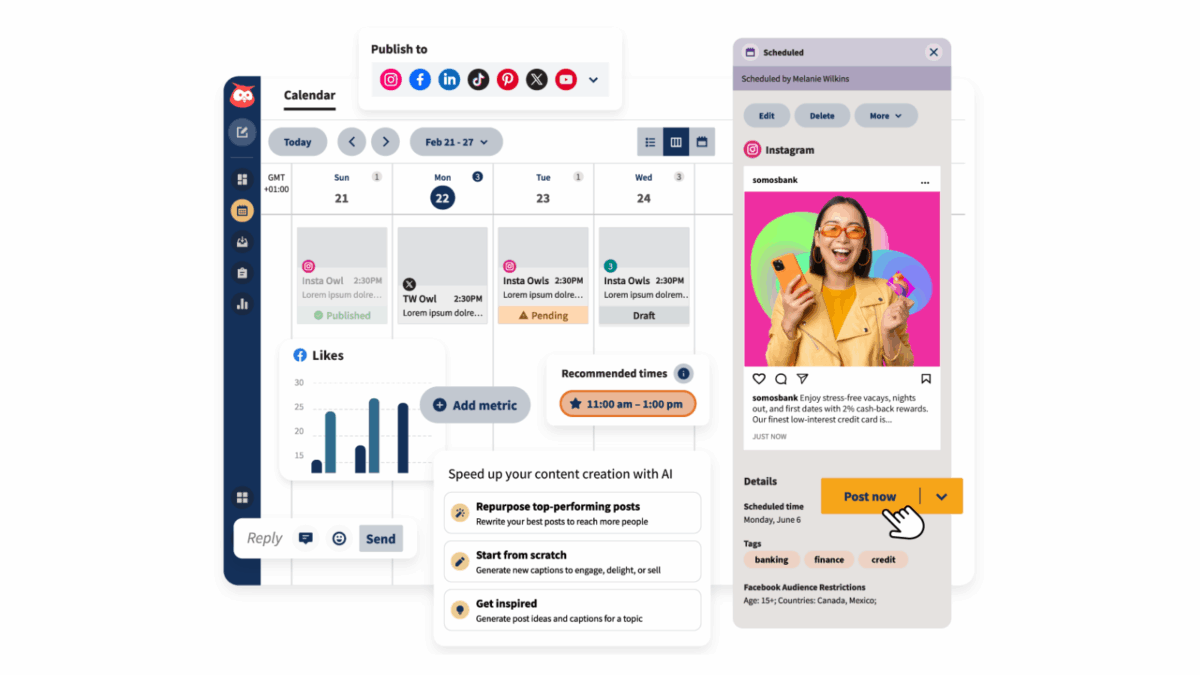
Why it made the list: Hootsuite’s Team plan introduces the collaboration layer that solo users on the entry tier don’t get: a shared calendar, content approval workflows, and role-based access for a small group working together. That’s the tier “most growing teams actually land on,” according to independent pricing breakdowns, and it’s where the tool starts to function as genuine team infrastructure rather than a personal scheduler.
Pricing: The entry Professional plan runs $99/user/month billed annually (around $149 month-to-month) for one user and 10 social accounts, with no approval workflow included. The Team plan, which adds the collaboration features, lists at roughly $249/month billed annually for a small group of users. Enterprise pricing is quote-based. A 30-day free trial is available on the entry tiers.
Honest limitation: Approval workflows sit two tiers up from the entry plan, and Hootsuite prices per seat with no volume discount, so a three-person team that only needs sign-off on drafts still pays for the full Team tier. It’s also worth verifying current tier names and pricing directly with Hootsuite before budgeting, since the 2026 Social OS rebrand changed how plans are packaged.
Source Hootsuite
3. Sprout Social
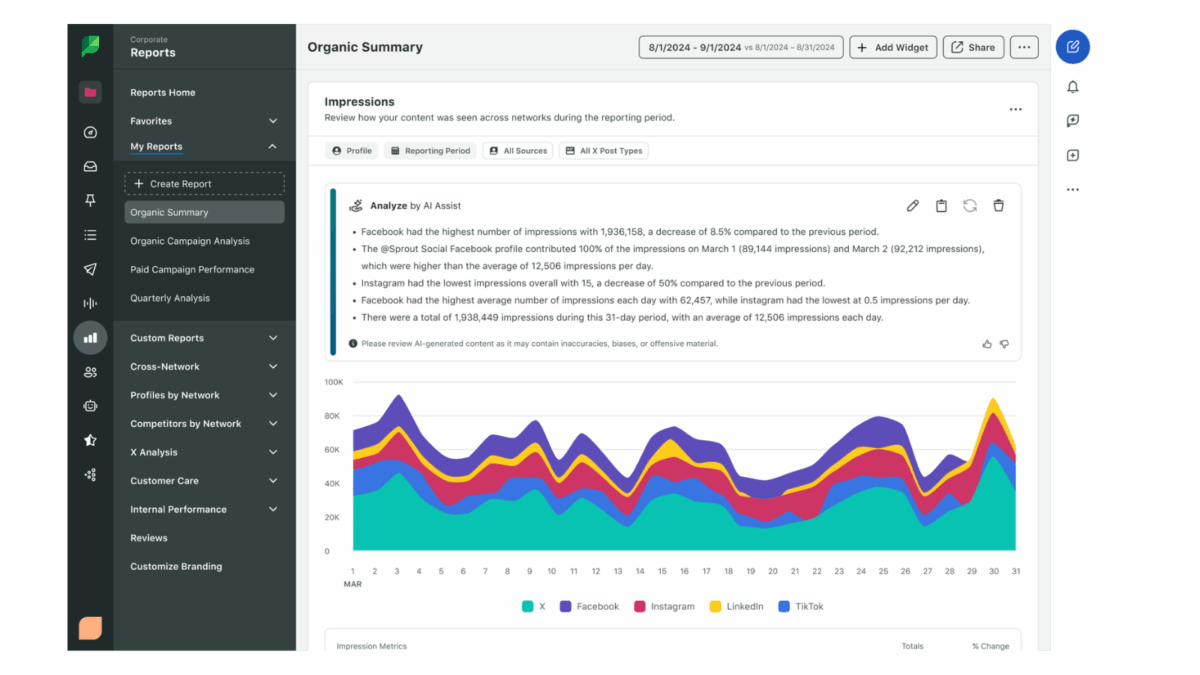
Sprout Social is an enterprise-leaning platform best known for reporting depth and listening coverage that extends to review sites and Reddit. It’s frequently the “safe enterprise choice” for larger marketing organizations that want a vendor with a long track record and dedicated account support.
Why it made the list: Content approval workflows, along with digital asset libraries and automation, are part of the Advanced plan, which also unlocks the Analytics API for teams building custom reporting on top of their content pipeline. Sprout’s real strength for collaboration-heavy teams isn’t just the approval step itself, it’s that reviewers get to make decisions inside the same interface where the reporting and listening data lives, so context doesn’t get lost between tools.
Pricing: Standard starts around $199/seat/month billed annually, Professional (the most commonly chosen tier) around $299/seat/month, and Advanced, which includes the approval workflow, around $399/seat/month. Enterprise is custom-quoted. A 30-day free trial is available on most plans.
Honest limitation: Sprout Social is genuinely expensive at team scale. A five-person team on Professional lists north of $17,900/year before any add-ons, and approval workflows specifically require the top published tier, Advanced, pushing that cost higher still. For teams whose only real need is structured content review, Sprout’s reporting depth may be more than the budget can justify.
Source: Sprout Social
4. Planable
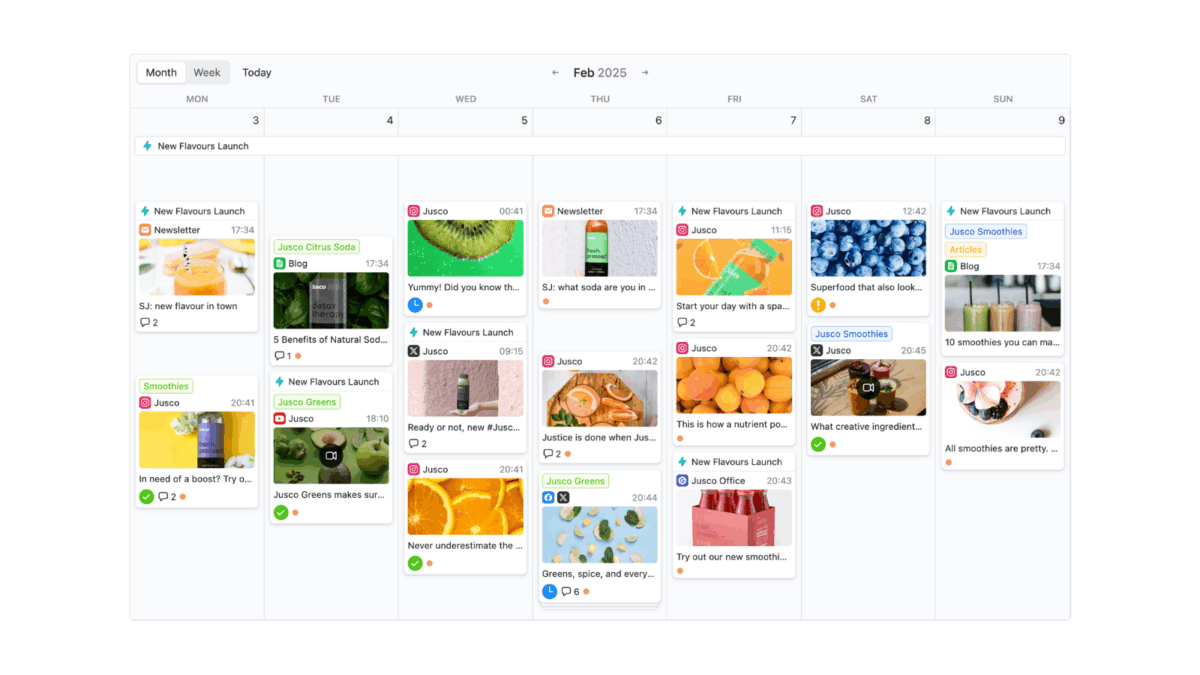
Planable is a purpose-built visual collaboration and approval layer for social content, and it’s the one tool on this list built specifically around the review cycle rather than around publishing first and collaboration second. Content appears as a realistic preview (grid, feed, or story format), with comments and approval status attached directly to each post.
Why it made the list: This is where Planable earns its place ahead of broader platforms for agencies whose main workflow is the approval cycle. Two types of approval routing are available from the entry paid tier, unlimited users are included on every plan (including the free one), and reviewers, including clients who never log in to a full dashboard, can approve or request changes with comments attached directly to the post preview.
Pricing: The Free plan includes unlimited users and all core features, capped at 50 total posts, ever (not a monthly reset). Basic starts at $33/workspace/month, Pro at $49/workspace/month, and Enterprise is custom. No credit card is required to start.
Honest limitation: Planable is a collaboration and approval layer, not a full social media management suite. It doesn’t do social listening, competitor tracking, or the kind of unified inbox that Agorapulse, Hootsuite, or Sprout Social offer, so teams that also need to manage day-to-day comments and DMs will likely run it alongside another tool rather than instead of one. The free plan’s 50-post lifetime cap (not a monthly reset) also makes it function more like an extended trial than a permanent free tier for any team posting regularly.
Source: Planable
5. Later
Later built its reputation on visual-first planning for Instagram, TikTok, and Pinterest, with a drag-and-drop calendar and grid preview that helps teams see how a feed will actually look before anything publishes. It’s a strong fit for brands and creators where visual consistency matters as much as caption copy.
Why it made the list: Later’s shared calendar gives a team visibility into what’s scheduled and when, which covers the baseline collaboration need for smaller creative teams. Its Link in Bio tool and Canva integration also reduce the number of separate apps a content team has to juggle day to day.
Pricing: Later has a limited free plan, then Starter at $25/month ($18.75 billed annually) for one user, Growth at $50/month ($37.50 annually), and Scale at $110/month ($82.50 annually). A 14-day free trial is available on paid plans.
Honest limitation: Team collaboration is Later’s thinnest area on this list. There’s no structured multi-step approval workflow at any published tier, the Starter plan includes only a single user seat, and Later doesn’t offer social listening or sentiment tracking. Teams that need real approval routing, not just a shared calendar, will outgrow Later’s collaboration layer quickly.
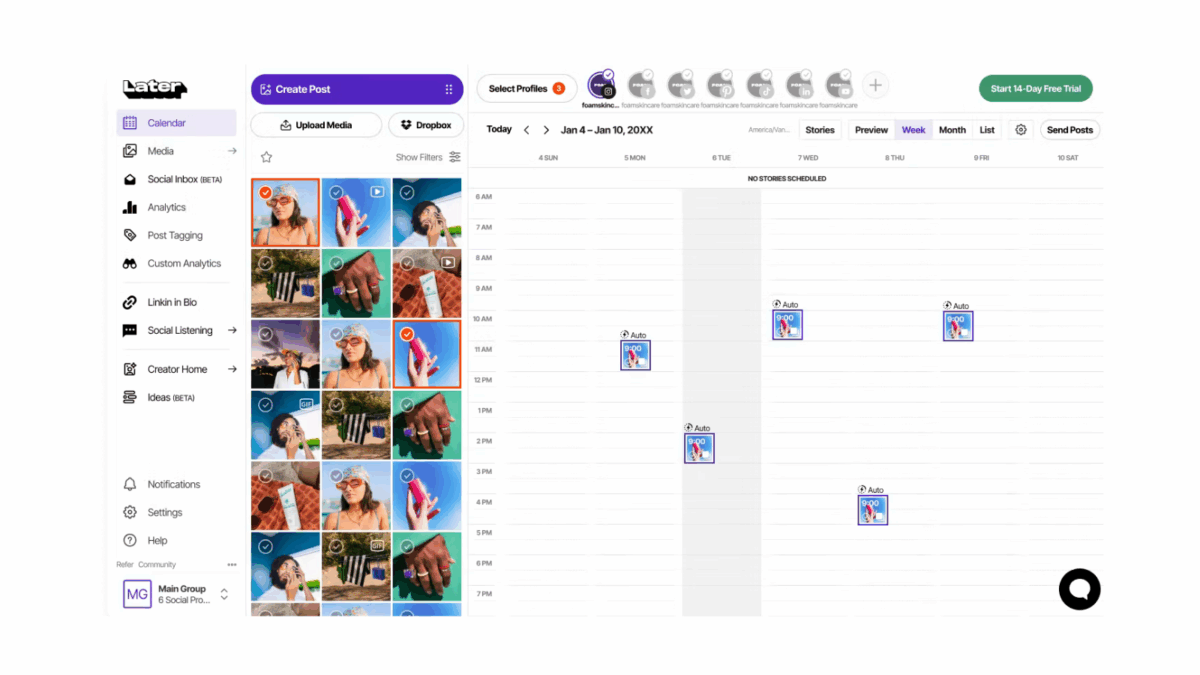
Source: Later
6. Buffer
Buffer is a simple, transparent scheduler that has consistently resisted feature bloat, and its own marketing is honest about ceding “deep listening or approval workflows” to more complex tools. That candor is worth taking at face value: Buffer is not trying to be a collaboration platform, it’s trying to be the cleanest possible queue.
Why it made the list: The Team plan adds unlimited user seats and a single-stage draft approval workflow, where one person writes a post and a designated approver signs off before it goes live, plus team notes attached to individual posts. For a small team that needs exactly one layer of review and nothing more elaborate, this is enough, and it’s priced transparently per channel rather than per seat.
Pricing: Free covers 3 channels and 10 scheduled posts per channel for a single user, no credit card required. Essentials runs $6/channel/month (unlimited posting, still single-user). Team runs $12/channel/month and adds the approval workflow and unlimited users. No credit card is required for the free plan.
Honest limitation: Buffer’s approval workflow is a single stage with no routing to multiple reviewers and no comment threads beyond basic notes. There’s also no bulk CSV import, no content recycling, and no social listening at any tier. Buffer is an honest fit for teams that have outgrown a spreadsheet but haven’t outgrown a one-step sign-off; anything more structured needs a different tool.
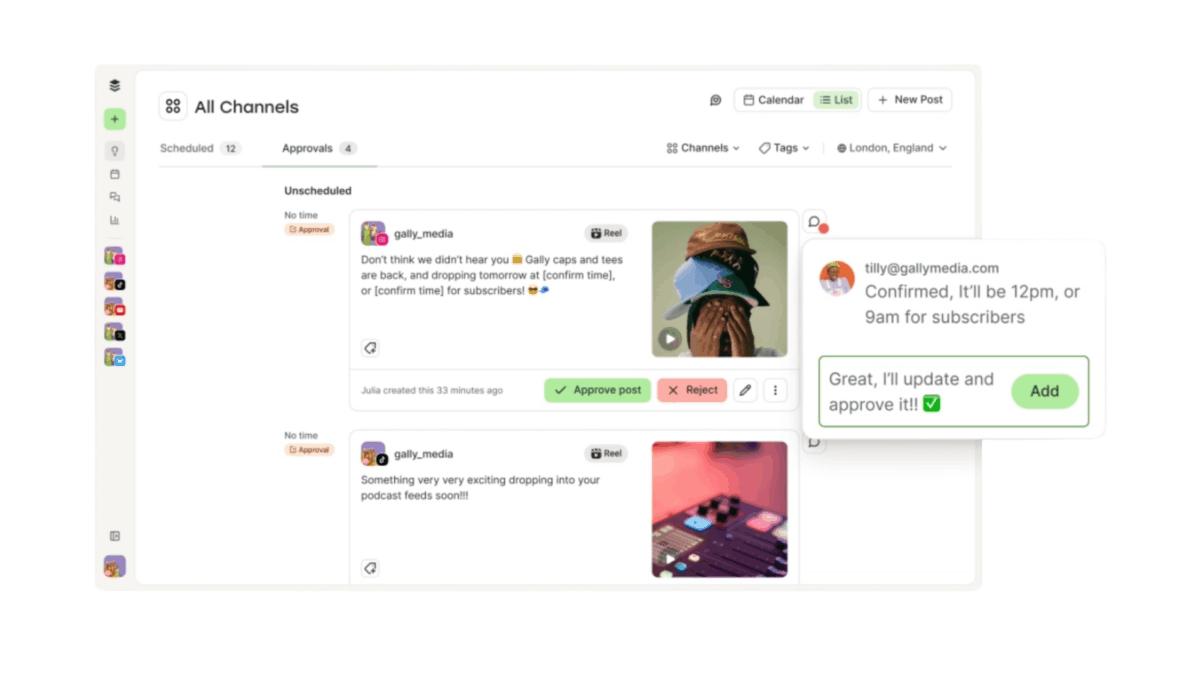
Source: Buffer
7. SocialPilot
SocialPilot positions itself squarely at agencies, with a flat-fee approach to client management that avoids charging per client. Its Client Approval Workflow is built around exactly that use case: getting a client to say yes without giving them a seat inside the main dashboard.
Why it made the list: From the Standard plan up, SocialPilot adds a social inbox and basic team collaboration for a small internal group, which covers day-to-day coordination. The Premium plan adds the Client Approval Workflow specifically, letting clients log in through a secure link and approve drafts without full platform access, alongside white-label reports that keep the agency’s own branding in front of the client.
Pricing: Essentials starts at $30/month ($25.50 billed annually) for one user and seven social accounts, with no team or approval features. Standard runs $50/month ($42.50 annually) and adds the social inbox and internal collaboration. Premium, where client approval workflows and white-label reporting live, runs $100/month ($85 annually). Ultimate runs $170/month. A 14-day free trial is available on all plans.
Honest limitation: The plan most agencies actually need, the one with client-facing approval workflows, is Premium at $100/month, not the $30 headline price SocialPilot is best known for. Extra accounts and extra users each add further monthly cost on top, so budgeting off the Essentials price alone will undercount the real bill for a client-services team.
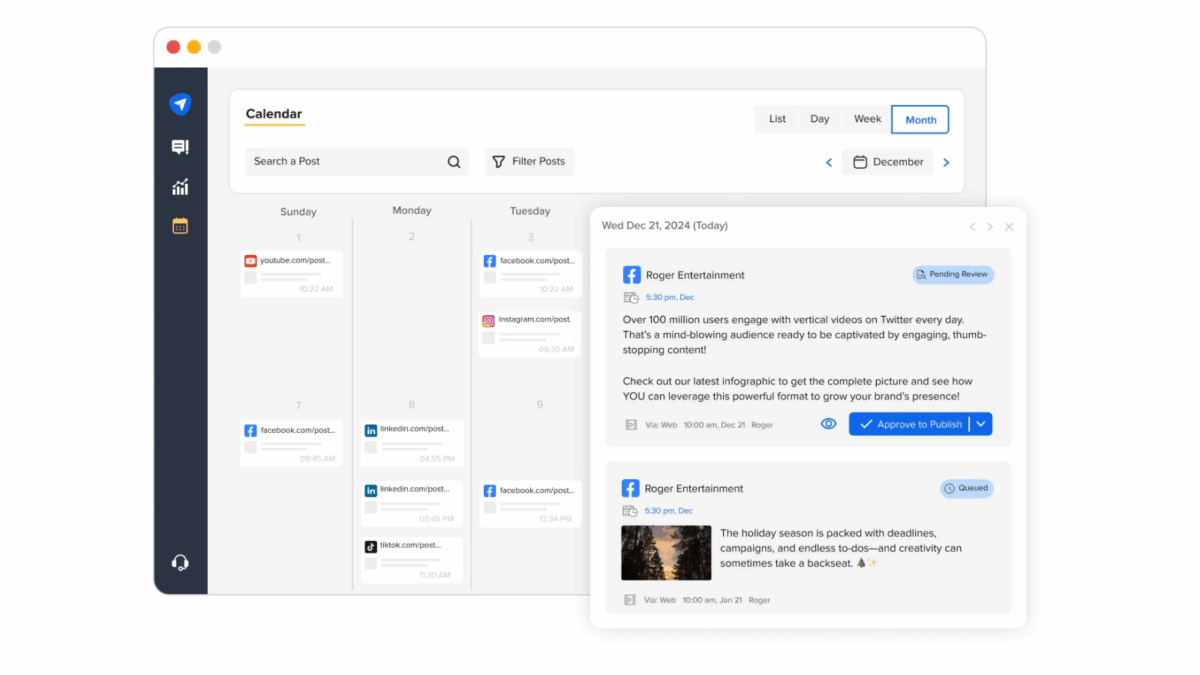
Source: SocialPilot
8. Sendible
Sendible bundles users and social profiles together rather than charging per seat or per channel, which makes it a comparatively predictable option for agencies managing a defined roster of clients. It’s built specifically around agency workflows, with white-label reporting and client management as core use cases rather than afterthoughts.
Why it made the list: Team collaboration is introduced at the Traction plan, which bundles multiple users and profiles together rather than billing each one separately, a meaningfully different economic model from Sprout Social’s or Hootsuite’s per-seat pricing. Higher tiers add custom and automated reports, useful for agencies that need to show clients recurring proof of work alongside the approval trail.
Pricing: Creator starts at $29/month for a single user and six social profiles, with no team collaboration included. Traction, which adds team collaboration, runs $89/month. Scale runs $199/month and adds custom and automated reports. Advanced and Enterprise require a sales conversation. A 14-day free trial is available, no credit card required; there is no permanent free plan.
Honest limitation: White-label branding, a genuinely useful feature for agencies presenting a unified front to clients, is a separate paid add-on on top of the Advanced or Enterprise subscription rather than something bundled into the base price, which can push the real cost of a fully branded setup well above the headline plan price.
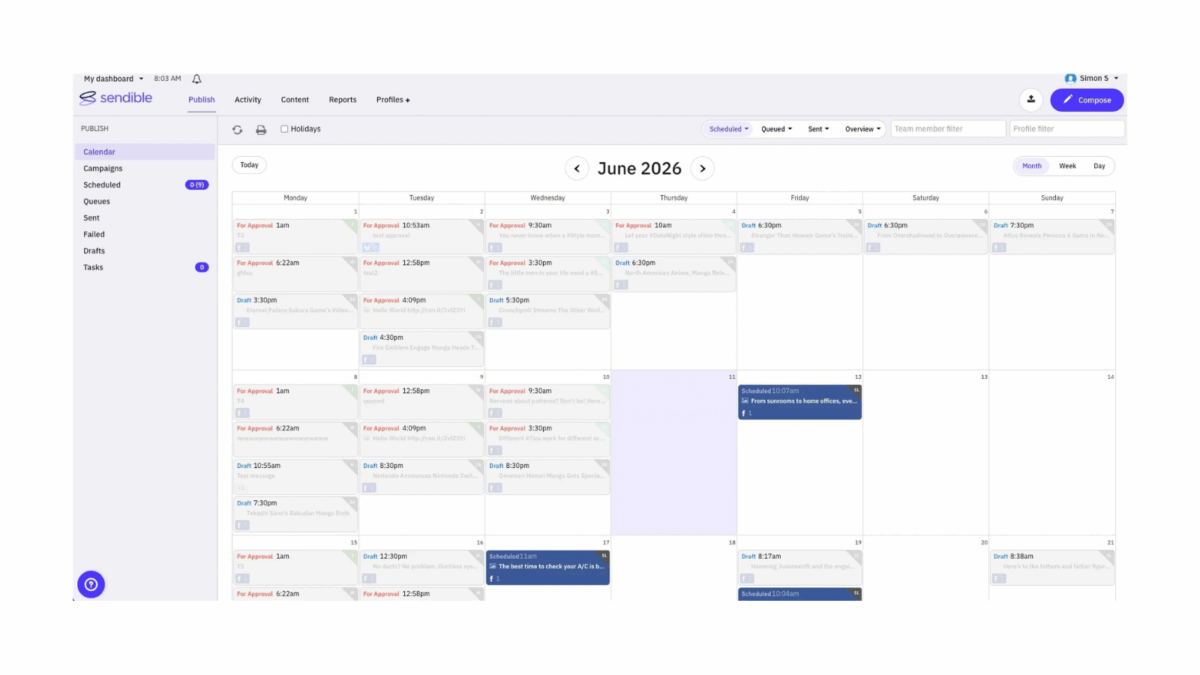
Source: Sendible
9. Loomly
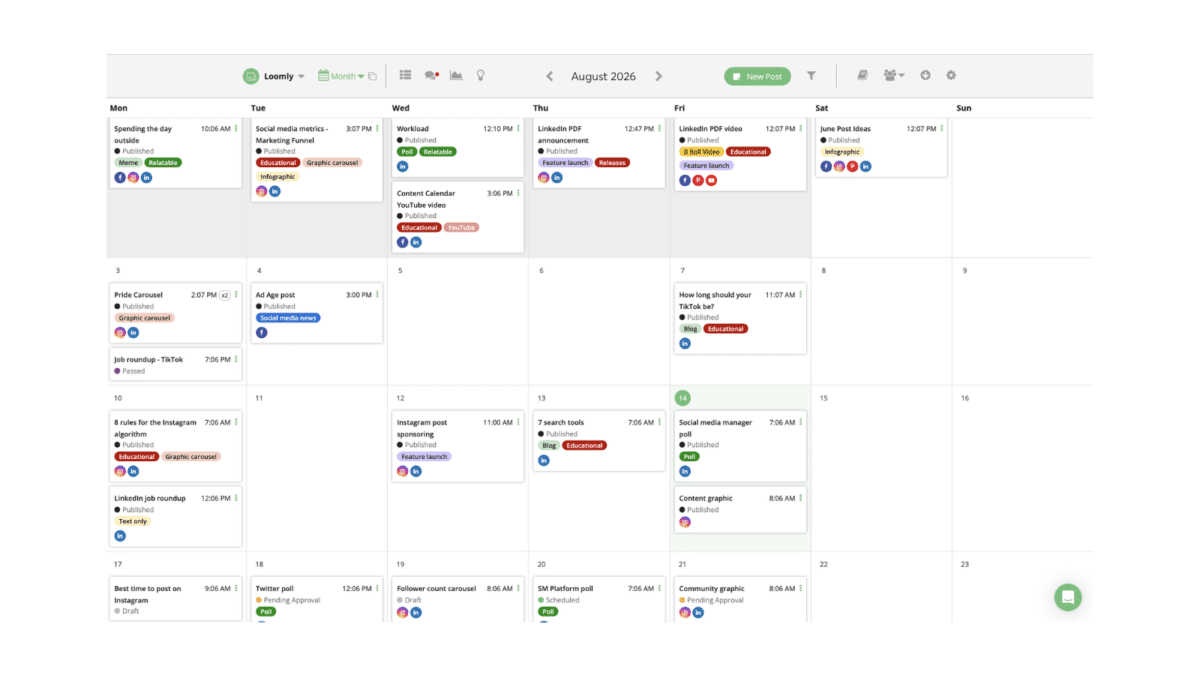
Loomly is built around editorial governance from the ground up, with approval workflows, per-network post mockups, and unlimited content calendars included even on its entry tier rather than gated behind a premium plan. Of every tool on this list, it arguably has the most structured, state-based approval flow (draft, pending, approved) with internal comments a client reviewer can’t see.
Why it made the list: Unlike most competitors on this list, Loomly doesn’t lock approval workflows behind an expensive upper tier, they’re included from the Starter plan. Combined with per-platform post previews and optimization tips as content is composed, it’s a strong fit for teams whose entire workflow revolves around structured, multi-stage content review rather than quick one-off scheduling.
Pricing: Starter runs $65/month ($49 billed annually) for 12 social accounts and 3 users, with approval workflows included. Beyond runs $332/month ($249 annually) for 60 accounts, unlimited users, and custom branding. Enterprise is custom-quoted for 61+ accounts. There’s no meaningful permanent free tier; a 15-day free trial covers evaluation.
Honest limitation: The jump from Starter to Beyond is steep, roughly a 400% price increase, with no mid-tier option to soften the climb for a team that has outgrown three users but doesn’t need 60 social accounts. Loomly also doesn’t currently publish directly to X (formerly Twitter) or Mastodon, a real gap for teams that need those networks in the same workflow.
Source: Loomly
10. Zoho Social
Zoho Social is the social media management tool inside the broader Zoho business suite, and it makes the most sense for teams that already run sales or support through Zoho CRM or Zoho Desk and want their social workflow to plug into that same ecosystem rather than standing apart from it.
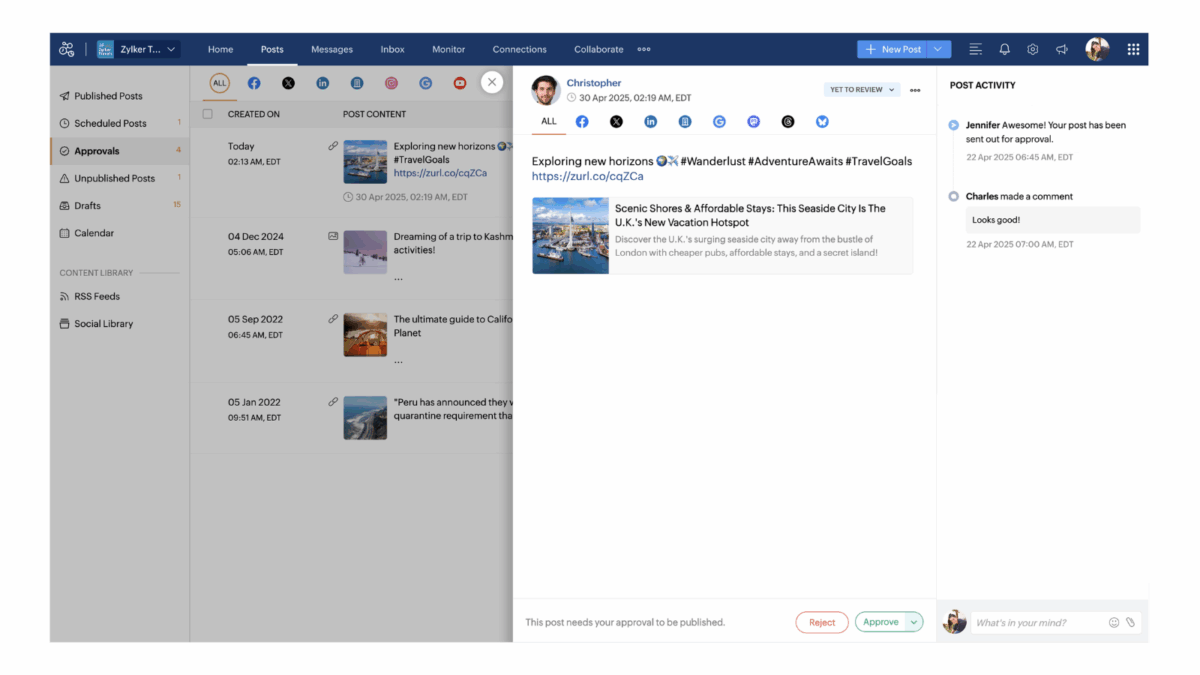
Why it made the list: Collaboration features, specifically an approval workflow, a unified inbox, and custom reporting, are concentrated in the Premium plan, which is also the only tier that includes the inbox and approvals together. For a Zoho-native team, having social approvals live next to CRM and support data in the same login has a real coordination benefit that a standalone tool can’t replicate.
Pricing: Free covers one brand, one team member, and six channels, with no scheduling or calendar, so it’s really a limited trial rather than a working tier. Standard runs $15/month ($10 annually), Professional $40/month ($27 annually), and Premium, the tier with approvals and the inbox, $65/month ($44 annually) for three team members. Agency plans for managing multiple brands start around $320/month. A 15-day free trial is available.
Honest limitation: Collaboration and approval features don’t appear at all until the Premium plan, two tiers up from the $15 entry price most people associate with Zoho Social. Extra brands and extra team members beyond the plan’s included count each carry additional monthly fees, so a small agency managing several client brands will find the real cost climbs faster than the entry price suggests.
Source Zoho Social
Feature comparison: collaboration and coverage at a glance
| Tool | Channel coverage | Sentiment analysis | Competitor tracking | Free trial |
|---|---|---|---|---|
| Agorapulse | 11 networks (Facebook, Instagram, X, LinkedIn, YouTube, Pinterest, TikTok, Threads, Bluesky, Reddit, Google Business) | Advanced tier and up (display), Custom (display + filter) | Advanced tier and up (competitive benchmarking) | 30 days |
| Hootsuite | Broad, network count varies by tier | Available via Talkwalker/Lumen listening at higher tiers | Available at Advanced tier | 30 days |
| Sprout Social | Facebook, Instagram, X, LinkedIn, TikTok, YouTube, Pinterest, Threads, Bluesky | Listening add-on / higher tiers | Competitive reports from Professional up | 30 days |
| Planable | Facebook, Instagram, X, LinkedIn, TikTok, YouTube, Pinterest (via add-on analytics) | Not included | Not included | Free plan, no card |
| Later | Instagram, Facebook, TikTok, Threads, YouTube, Pinterest, LinkedIn, Snapchat | Not included | Not included | 14 days |
| Buffer | Facebook, Instagram, X, LinkedIn, Google Business, Mastodon, Pinterest, Bluesky, TikTok, YouTube | Not included | Not included | Free plan, no card |
| SocialPilot | Facebook, Instagram, LinkedIn, Pinterest, X, TikTok, Google Business, and more | Not included | Not included | 14 days |
| Sendible | Facebook, Instagram, LinkedIn, X, YouTube, Google Business, and more | Not included | Not included | 14 days |
| Loomly | 9 to 11 networks depending on plan (no X or Mastodon publishing) | Not included | Not included | 15 days |
| Zoho Social | Facebook, X, Instagram, LinkedIn, Google Business, up to 14 channels on Premium | Not included | Not included | 15 days |
Sentiment analysis and competitor tracking are typically part of a broader social listening or reporting layer rather than the collaboration feature set itself, which is why several tools built purely for scheduling and approvals don’t include them. If listening and competitive benchmarking matter alongside approvals, Agorapulse, Hootsuite, and Sprout Social are the three on this list that cover both.
A note on approval turnaround time
One of the more useful things a team can track once a collaboration tool is in place is how long content actually sits in review, from first draft to final approval. Teams that document this number tend to find it’s longer than they assumed, and shortening it is usually less about the tool and more about how many people are required to sign off and how clearly each reviewer’s role is defined.
Choosing the right social media collaboration tool
There’s no single winner here, and treating this as a flat leaderboard would be misleading. If your team wants approvals, a unified inbox, and reporting without juggling two logins, Agorapulse is built for exactly that combination, with the honest caveat that multi-step routing requires the Custom plan. If your entire job is client review and nothing else, Planable is a genuine specialist worth its narrower feature set. If you’re already inside Hootsuite, Sprout Social, or Zoho for other reasons, their respective collaboration tiers may be the path of least resistance even if they’re not the cheapest option on this list. Match the tool to how many approval steps your content actually needs, not to which name is most familiar.
Ready to see how approval workflows, a unified inbox, and shared calendars work together in one platform? Start a free 30-day Agorapulse trial, no credit card required.
Frequently asked questions
What is a social media collaboration tool?
A social media collaboration tool is software that lets a team plan, comment on, and approve social content together before it publishes. It typically includes a shared calendar, in-context commenting, and some form of approval routing, so review happens inside the tool instead of over email or screenshots.
What’s the difference between a collaboration tool and a scheduling tool?
A scheduling tool queues and publishes posts. A collaboration tool adds the layer around that: who can see a draft, who has to approve it, and how feedback gets recorded. Many platforms, including Agorapulse and Hootsuite, combine both; others, like Planable, focus purely on the collaboration layer.
Can teams collaborate on social media posts for free?
Yes, to a point. Planable’s free plan includes unlimited users and full collaboration features up to 50 total posts. Buffer’s free plan supports one user and basic scheduling on 3 channels. Zoho Social’s free plan is limited to one brand and one member with no scheduling. None of the free tiers include multi-step approval workflows.
What features should agencies look for vs. in-house teams?
Agencies typically need client-facing approval links, white-label reporting, and per-client permission controls, features found in SocialPilot’s Premium plan, Sendible’s Traction plan, and Agorapulse’s agency-focused workflows. In-house teams usually prioritize internal approval routing and a shared calendar over client-branded reporting.
Do social media collaboration tools support client approvals?
Most of the agency-focused tools on this list do, though the mechanism varies. Planable and SocialPilot let clients approve via a secure link with no login required. Loomly and Agorapulse route drafts through internal review states that a client can be added to as a reviewer. Buffer and Later, built for smaller teams, don’t offer dedicated external client-approval links.
Is Agorapulse good for team collaboration?
Agorapulse includes internal comments and simple approval workflows from its Professional plan up, shared content calendars from Advanced, and multi-step approval routing with custom roles and SSO on its Custom plan. It’s best suited to mid-market teams and agencies that also want a unified inbox and reporting in the same platform, rather than teams needing only a standalone approval tool.