Would you recommend your social media management platform to a colleague at another company? If your answer starts with “Yes, but…” what’s holding you back?
Maybe you’d mention that your team still has to manage approvals over email or that only one person knows how everything works. Caveats like these don’t necessarily mean you need a new tool. But when you know a platform’s quirks well, it’s easy to mistake familiarity for fit.
The seven red flags below can help you see your platform with fresh eyes. Some are clear signs you need a new social media management tool, while others may point to a setup issue you can fix. You’ll learn how to tell the difference and what to do next.
- Routine social media tasks take too many steps
- Most of your workflow happens outside the platform
- Only one person really knows how the platform works
- Reports need rebuilding or reconciling before you share them
- The inbox doesn’t support collaboration
- Listening means manual searches and browser tabs
- Plans stay on hold because your setup can’t support them
Why social media tool workarounds go unnoticed
A workaround usually starts off as a sensible response to a real problem. Maybe a colleague creates a spreadsheet because your social media tool’s calendar can’t accommodate planning notes. Or perhaps a team member starts a group chat to flag which social inbox messages they’re handling.
Each fix helps the team keep moving forward. But over time, the workarounds become the process. New colleagues learn them during training, and experienced users stop thinking of them as workarounds. In other words, they become invisible.
One way to identify the extra work they create is to imagine you (or your social media manager) will be away next week. Which tasks would have to wait until you return? If the list is long, your workflow may depend more on people covering for the platform than on the platform itself.
The added effort is easy to underestimate. Lokalise found that switching between platforms and managing overlapping tools costs the average nearly an hour each week, or more than 44 hours annually.
7 Social media tool red flags your team might have learned to ignore
The red flags below can help you spot the friction your team may be covering for.
1. Routine social media tasks take too many steps
Updating scheduled content is an everyday task for a typical social media manager. It should be quick and predictable. But if experienced users still need to look up a sequence of steps to make a routine change, the tool is making day-to-day work harder than it should be.
Say a product launch gets pushed back two days. You have dozens of posts scheduled across several profiles, each tailored to its network. Now you need to move each one, check that the customized versions retained their edits, and confirm nothing needs approval again.
It’s easy to accept this kind of work as part of the job. Every tool has a learning curve, and an occasional misstep doesn’t make a platform a poor fit. But when routine tasks require this many steps, last-minute corrections become slower and riskier than they need to be.
2. Most of your workflow happens outside the platform
Your social media management platform should support your organization’s full content workflow, from planning and publishing to approval and reporting. But if most of those steps happen in other tools (and the platform only handles scheduling), your setup might be creating more friction than you realize.
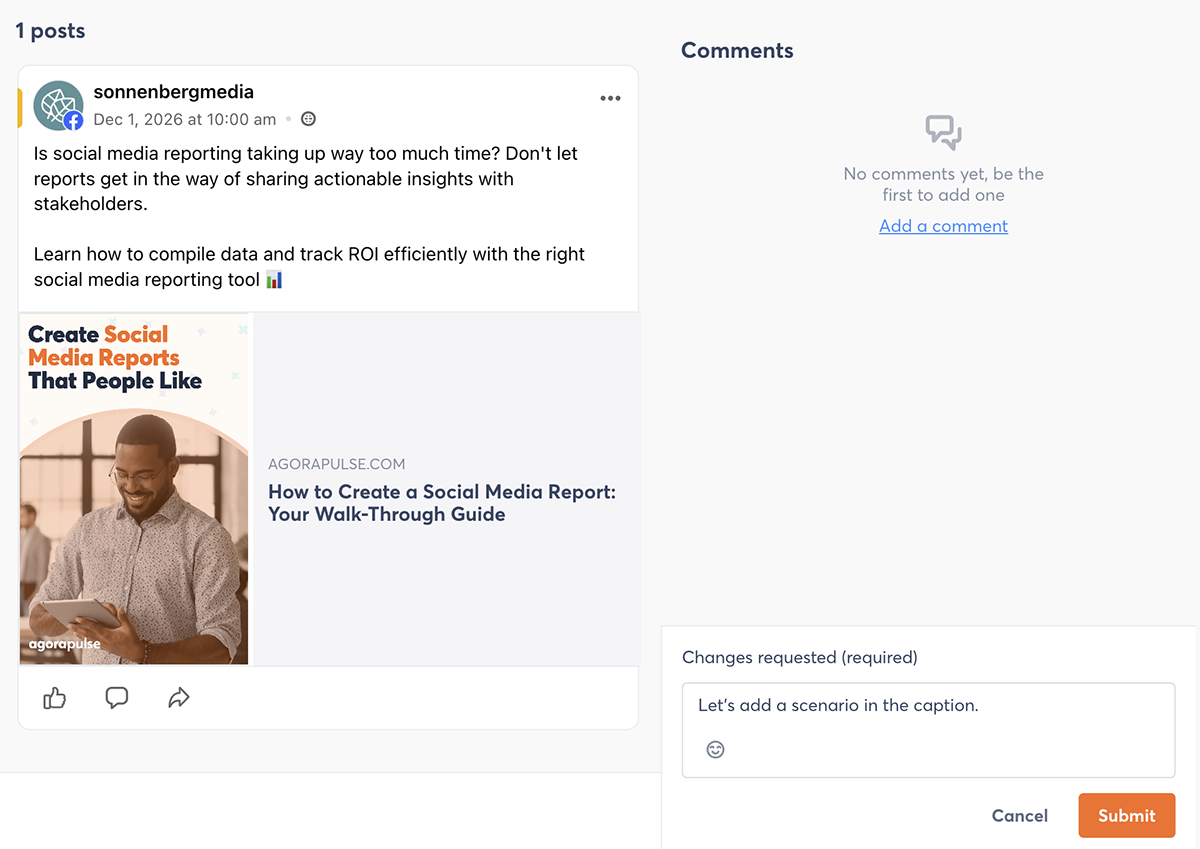
Suppose a campaign starts in a planning spreadsheet, and your team manages drafts in an AI assistant and handles approvals in an email thread. You update your Instagram link in bio in a separate tool and keep hashtag sets and caption templates in a shared doc.
Some teams deliberately choose a mix of tools that work well for them. A dedicated creative tool or shared planning space may suit your team better than an all-in-one workflow.
But when the tech stack only exists because the platform can’t support the process you need, you might have a problem. To tell the difference, confirm whether your team chose each tool because it does the job particularly well or because you got tired of working around your platform’s shortcomings.
3. Only one person really knows how the platform works
After basic training, colleagues should be able to handle routine tasks in your social media platform on their own. If they route those tasks through one experienced user instead, your team’s work will revolve around that one person’s availability.
For example, a colleague on another team might need to schedule a post or find an approved asset. And rather than opening the platform and handling the task, they might just message the team’s resident expert instead.
This arrangement might seem efficient for a while. But when the expert goes on holiday, changes roles, or gets multiple urgent requests at once, the process breaks down.
Some tasks certainly require expert knowledge, and new users always need some level of training. But if colleagues still need a guided tour for ordinary tasks, the platform may be making collaboration more difficult than the team realizes.
Listen for your team to say things like, “Ask Sam. She knows the trick.” When even a simple task requires an expert user, that might be a red flag.
4. Reports need rebuilding or reconciling before you share them
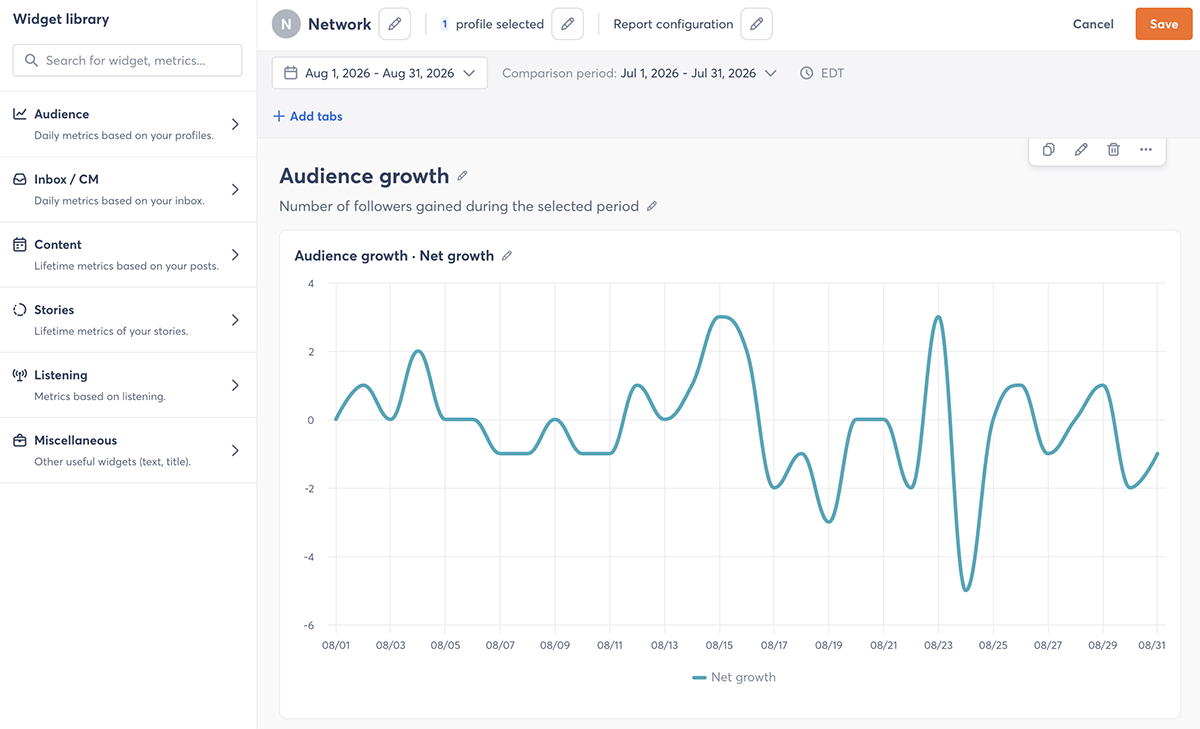
Once you’ve added your analysis, a social media report should be ready to share with team members, leadership, or clients. If your team regularly has to reconcile the data with another source or export it to rebuild elsewhere, reporting is slowing you down and undermining trust.
You aren’t the only team facing this issue. A Gartner survey found that CMOs see marketing data and analytics as the biggest capability challenge holding them back from reaching their business goals.
For example, an agency account manager might export engagement data each month, create branded charts in a slide template, and cross-check follower counts against native analytics. Only then does the report go to the client, often a few days later than planned.
Over time, those extra hours add up. The time has to come out of analysis and strategy, the part of reporting that stakeholders value most.
Think about the questions your stakeholders ask most — like how a campaign performed across networks or how results compare by profile or client. If your platform can’t answer those questions natively, you’ll be stuck rebuilding every reporting cycle.
5. The inbox doesn’t support collaboration
Your team should be able to see which messages need a response and who’s responsible for each one. If your shared inbox can’t show that, colleagues will fill the gap with check-ins and side conversations.
Say a post takes off, and comments and DMs flood in faster than usual. Two or three team members draft replies to the same message while a complaint goes unanswered because everyone assumes someone else is on it.
Workarounds like a Slack thread may hold up on a quiet day. But they tend to break down when engagement spikes, which is exactly when response time counts most.
Hanna Darnell, Social Media Manager for Alibaba’s buyer’s side, has experienced her fair share of overcrowded inboxes. “We had no way to get through all of [the engagement],” Hanna says. “I would have over 70,000 items in my inbox in a week. I wasn’t engaging with positive comments, only dealing with the bare minimum.”
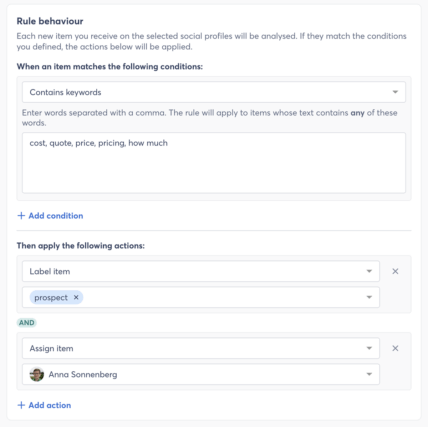
If your team spends more time coordinating replies than writing them, your social media inbox prevents efficient collaboration. When ownership is clear and conversations are routed to the right person automatically, each team member can focus on their own conversations and build deeper relationships with followers.
6. Listening means manual searches and browser tabs
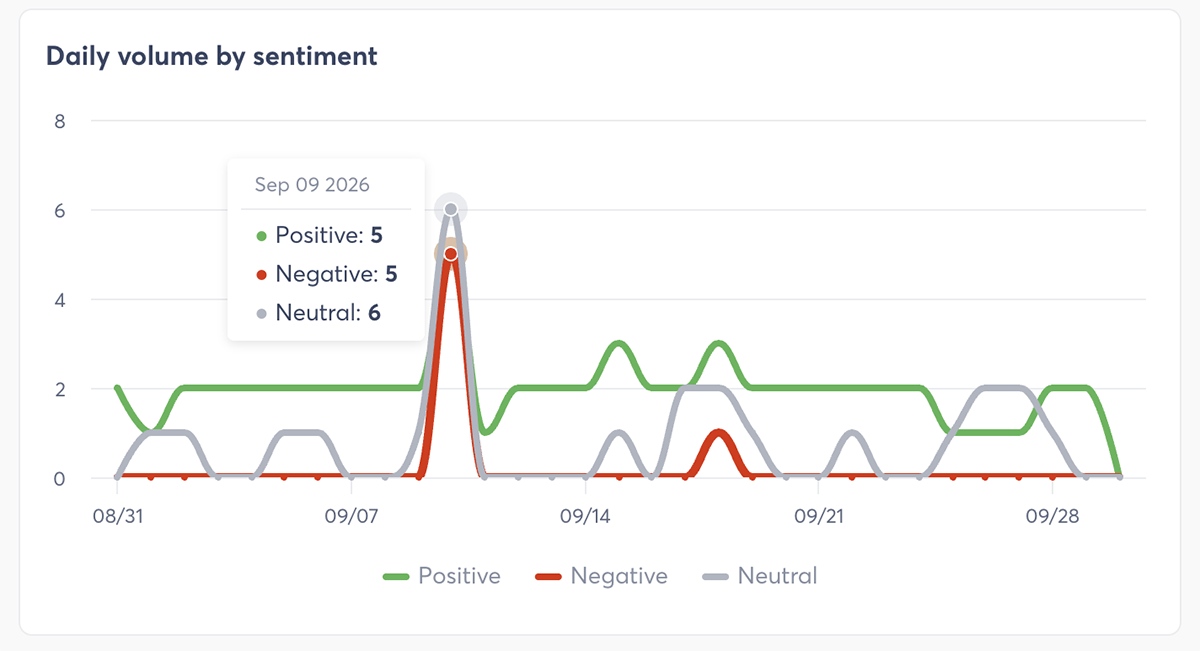
A strong social listening setup should surface untagged brand mentions, competitor conversations, and industry trends without anyone having to hunt for them. If your team relies on manual searches instead, you’ll probably catch a fraction of those conversations, often too late to respond.
Suppose a customer posts a detailed complaint about your product without tagging your profile. Over the weekend, it goes viral. But your team doesn’t notice until Monday morning, when customer support forwards a screenshot.
Global teams may prefer a dedicated listening tool, and small teams may not have the capacity for listening at all. But if your team has made listening a priority and still catches conversations too late, your platform isn’t giving you the visibility you need.
7. Plans stay on hold because your setup can’t support them
Your social media tool should keep up with where your strategy is heading. If your team keeps postponing plans because the platform can’t support them, the tool is setting the limits of your strategy.
For example, leadership may ask your team to show how social contributes to website traffic, leads, or sales. If your platform can’t add UTM parameters to links or connect to your web analytics, you can report reach and engagement but not what happened after the click. So the plan to tie social to business results might stay on hold.
Or say your sales team wants promising social conversations logged in your customer relationship management (CRM) system. Without a CRM integration, a team member has to copy each contact over by hand. The handoff might happen occasionally or not at all.
Not every idea deserves a green light. But if the platform is the reason plans stall, consider it a red flag.
Is it a tool problem or a setup problem?
Finding a red flag doesn’t necessarily mean your platform is the problem. Start by ruling out other causes.
Check whether a feature is available but unused, whether permissions or configurations are getting in the way, and whether a short training session would solve the problem. Also consider whether the separate tools your team uses are intentional choices that work well.
Then look for patterns. Does the same problem keep popping up even after you’ve tried a fix? Does it affect daily tasks, regularly requiring a power user to step in and handle everything?
A one-off issue or a minor inconvenience probably doesn’t warrant switch tools. But recurring problems across daily or time-sensitive tasks deserve more attention.
As Jordan Knight, Digital Specialist at Interstates, explains, “Find a tool that supports your processes without adding complexity. For us, [Agorapulse’s] external collaboration feature was a gamechanger. It allowed us to involve stakeholders without needing extra licenses or complicated workflows.”
What to do with signs you need a new social media tool
Instead of making an immediate decision, monitor the situation. For two weeks, make note of the issues and workarounds you encounter. Note what happened and any fix you tried. Ask other users to participate.
Track the active and passive time you waste. You may find that small recurring tasks add up quickly. For example, an extra 30 minutes every week amounts to roughly 26 hours over a year.
After two weeks, look for patterns. Note which problems happen most often, affect the most people, or lead to the most wasted time. These issues are the strongest ones to raise first.
Decide the next step based on your team’s experience
Depending on your findings, you may conclude that a few adjustments will make your current platform a good fit again. Or you may find evidence that it’s worth exploring alternatives.
If you’re ready to ask for support to explore a change, turn your observations into a clear internal request for leadership.
Frequently asked questions
What are the signs you need a new social media tool?
The clearest signs you need a new social media tool are the recurring problems your team has learned to work around. Other signs include reports that need rebuilding before you share them, a shared inbox that can’t show who owns each message, listening that depends on manual searches, and plans that stall because the platform can’t support them.
When is the right time to switch social media management tools?
Consider switching when problems are recurring rather than occasional. Spend two weeks logging every workaround and the time it costs, and ask teammates to do the same. If the same issues affect several people or eat up hours each week, it might be time to explore alternatives.
How do I convince leadership to switch social media tools?
Lead with evidence. Use your two-week log to show how much time the current tool costs, which tasks it slows down, and which goals it’s blocking. Then tie those issues to outcomes leadership cares about to build your case.