

The 12 Best AI Tools for Content Creation in 2027
The best AI tools for content creation work together in your stack: one tool for each stage of the job, from research to publishing, with a person approving what goes out. No single AI content creator covers every stage perfectly.
This guide groups 12 tools by the stage they’re built for: research, writing, design, video, repurposing, and publishing. Each entry covers what the tool is best for, where it falls short, and what it costs. And if you want the TL;DR, jump to the comparison table.
Disclosure: Agorapulse publishes this guide and makes two of the tools in it, Agorapulse and Archie. They’re described with the same template as every other tool, and Archie’s entry says when another tool is the better pick.
The best AI tools for content creation
For most teams, the best AI tools for content creation include a research assistant, a writing or editing tool, a design tool, a video tool, a repurposing tool, and a publishing platform.
| Tool | Best for | Workflow stage | Starting price (USD) |
| Agorapulse | Scheduling, publishing, inbox, and reporting | Scheduling and publishing | Standard $79/user/mo billed annually, $99 monthly |
| Archie | Turning long-form content into social posts | Repurposing | Free, no credit card |
| Blotato | Posts and visuals with automation | Repurposing | Starter $29/mo |
| Canva | Social graphics and carousels | Design | Pro $144/year |
| ChatGPT | Everyday drafting and brainstorming | Research and ideation | Go $8/mo, Plus $20/mo |
| Claude | Long-form drafting and working with documents | Research and ideation | Pro $17/mo billed annually, $20 monthly |
| Descript | Editing video and podcasts by transcript | Video and audio | Hobbyist $16/mo billed annually, $24 monthly |
| Grammarly | Editing to a brand tone and style guide | Writing and editing | Pro $12/mo billed annually, $30 monthly |
| Jasper | On-brand marketing drafts | Writing and editing | Pro $59/seat/mo billed annually, $69 monthly |
| OpusClip | Short clips from long videos | Video and audio | Starter $15/mo |
| Perplexity | Research with cited sources | Research and ideation | Pro $17/mo billed annually |
| Repurpose.io | Redistributing existing videos and podcasts | Repurposing | Starter $35/mo or $349/year |
How we evaluated these AI content creator tools
We compared each tool on four criteria, using each vendor’s own product, pricing, and help pages, reviewed in November 2026.
-
Output quality and brand fit
Can the tool produce a draft you’d actually publish with light edits? We looked for ways to store brand voice, style rules, or a playbook once instead of re-explaining them in every prompt.
-
Workflow fit and integrations
Does the tool do one stage well and hand off cleanly to the next? We noted what each tool takes in (a prompt, a document, a video, an existing post) and what it hands back.
-
Pricing and free plans
We recorded the lowest paid plan and any free plan or trial as listed on each vendor’s pricing page.
-
Human control and approvals
Can a person review and edit everything before it goes live? Tools that publish without a review step lost points here.
Best AI tools for content creation by workflow stage
The right tool depends on the stage you’re stuck on. Here are the best AI tools for content creation, organized by workflow stage.
Best research and ideation AI tools: ChatGPT, Claude, and Perplexity
These general AI assistants are best for the start of the process: finding angles, outlining, and getting a first draft down.
ChatGPT
- Best for: Everyday drafting, brainstorming, and outlining.
- Strengths: A free plan with text chat and limited deep research; projects and custom GPTs to keep instructions and files together; built-in image creation.
- Limit: OpenAI says Plus may include message caps during high demand.
- Pricing: Free plan. Go is $8 a month and Plus is $20 a month, both billed monthly.
Claude
- Best for: Long-form drafting and working from long documents.
- Strengths: A free plan with web search, file creation, and memory; Projects to keep brand documents in one place (up to 5 free, unlimited on Pro); Skills that apply patterns from your own writing.
- Limit: Usage resets in 5-hour windows; paid plans also have weekly limits, and Research isn’t on the free plan.
- Pricing: Free plan. Pro is $17 a month billed annually, or $20 monthly.
Perplexity
- Best for: Research when you need to show your sources.
- Strengths: Citations in every answer, on every plan; deep research on Pro; a choice of AI models.
- Limit: The free plan includes 3 Pro searches a day and 1 Research query a month.
- Pricing: Free plan. Pro is $17 a month billed annually.
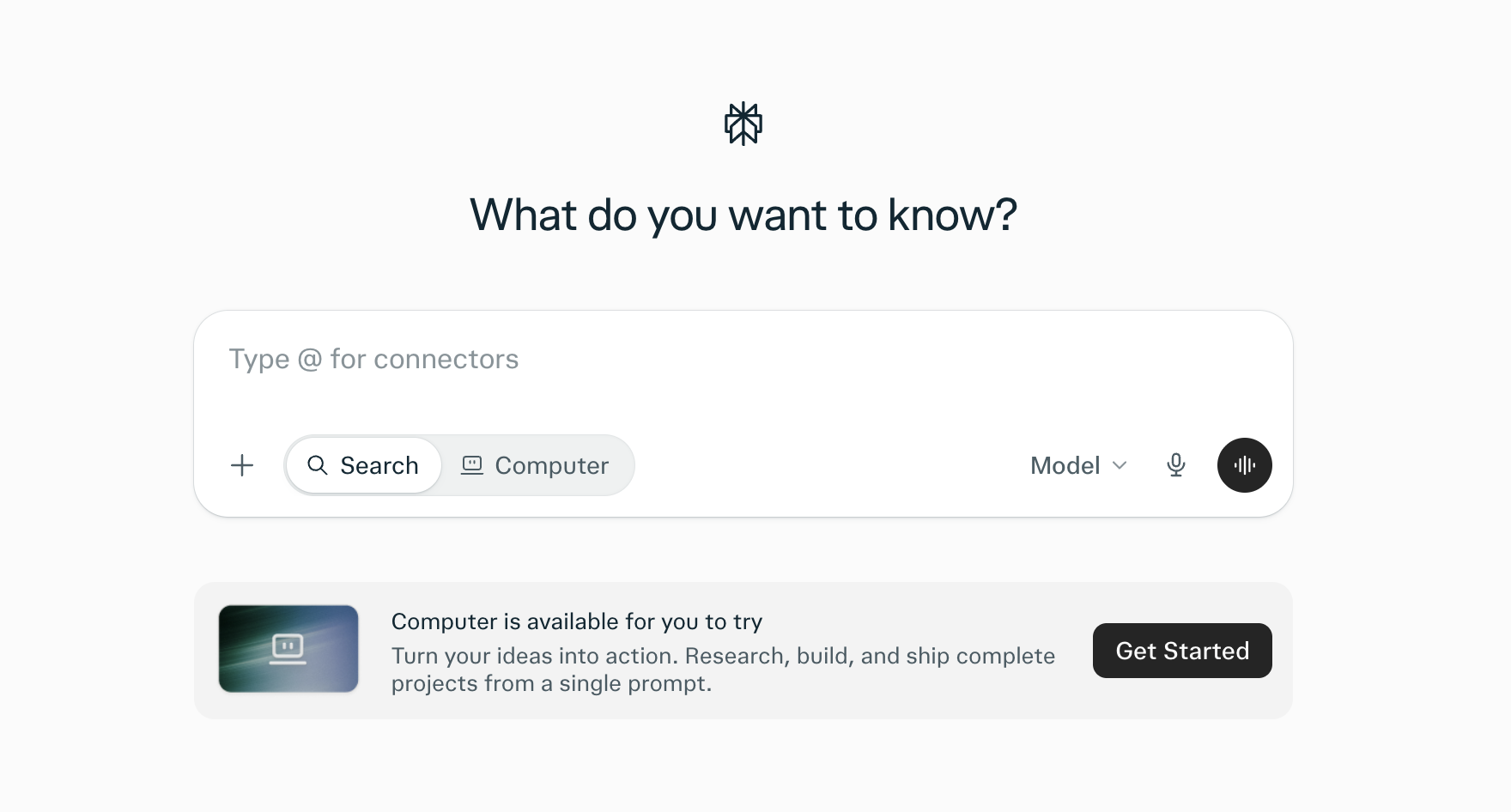
Perplexity starts every search with a question and backs each answer with citations.
Best writing and editing AI tools: Jasper and Grammarly
These writing and editing tools turn rough drafts into on-brand copy.
Jasper
- Best for: On-brand first drafts across marketing channels.
- Strengths: Drafts that follow your brand voice, style guide, and audiences; a social posts agent that writes for each platform; a Remix Content feature that reworks existing content.
- Limit: No native social publishing, and Pro includes 1 seat and 2 brand voices.
- Pricing: No free plan, 7-day trial. Pro is $59 per seat a month billed annually, or $69 monthly.
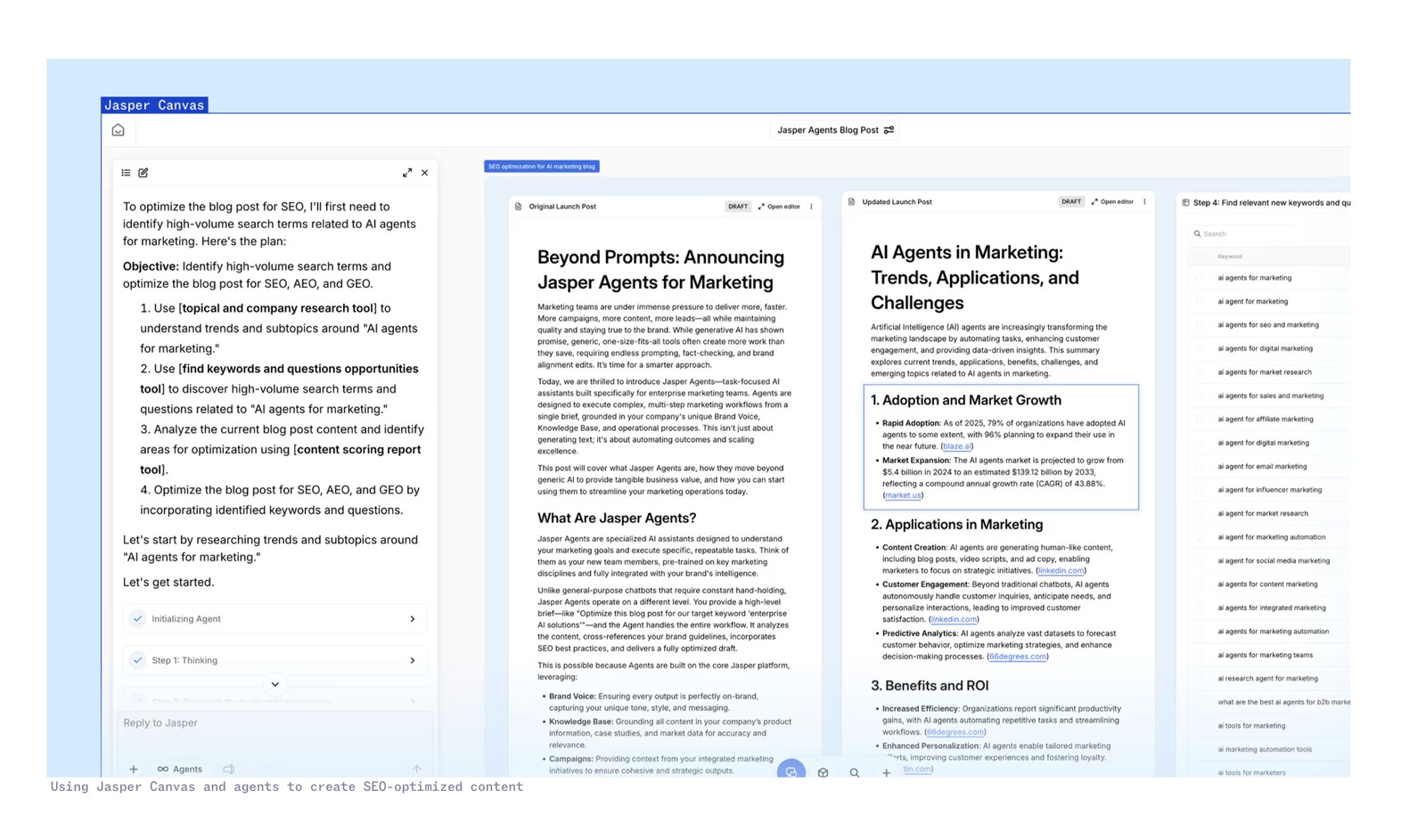
Jasper writes on-brand first drafts that follow your brand voice and style guide.
Grammarly
- Best for: Editing drafts to a consistent tone and style.
- Strengths: A brand tone and a style guide on Pro; plagiarism and AI-text detection on Pro; AI agents such as Proofreader, Paraphraser, and Reader Reactions.
- Limit: Pro includes only 1 brand tone and 1 style guide. More needs Enterprise.
- Pricing: Free plan with 100 AI prompts a month. Pro is $12/month billed annually ($144 a year), or $30 monthly, with a 7-day trial.
Best design AI tool: Canva
Visuals often stall a content plan when there’s no designer on the team. Canva fills that gap with AI features built into a design tool most marketers already know.
Canva
- Best for: Social graphics and carousels without a designer.
- Strengths: Magic Resize turns one design into every social size; Magic Write drafts text inside a design; Pro includes social scheduling.
- Limit: The free plan is capped at 20 AI uses a month.
- Pricing: Free plan. Pro is $144 a year for one person.
Best video and audio AI tools: Descript and OpusClip
Long recordings often hold your best material, but editing them by hand is painfully slow. Here are the best AI video and audio tools that make content creation and editing easier.
Descript
- Best for: Editing video and podcasts by editing the transcript.
- Strengths: Transcription in 25 languages; Underlord, an AI co-editor, plus Studio Sound and filler-word removal; Create Clips, which finds strong moments, adds captions, and resizes for each network.
- Limit: Direct publishing is to YouTube only, and free exports are watermarked at 720p.
- Pricing: Free plan with 1 media hour a month. Hobbyist is $16 a month billed annually, or $24 monthly.
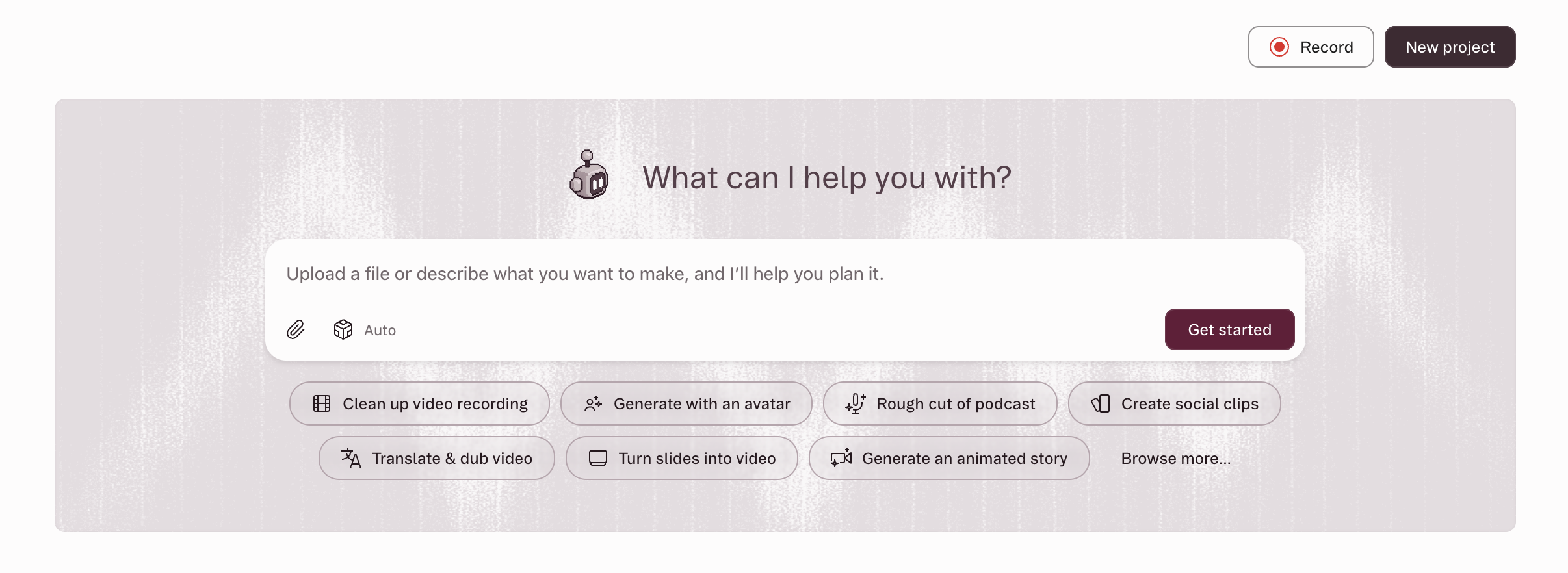
Descript lets you edit video and podcasts by editing the transcript.
OpusClip
- Best for: Turning long videos into short clips fast.
- Strengths: AI clipping for any type of video; reframing that keeps the subject in shot; captions, plus export to Premiere Pro and DaVinci Resolve.
- Limit: Scheduling needs the Pro plan, and the free plan adds a watermark.
- Pricing: Free plan with 60 credits a month. Starter is $15 a month. Pro is $29 a month, or $14.50 a month billed annually.
Best repurposing AI tools: Archie, Repurpose.io and Blotato
Repurposing tools start from content you already have and give that content new life. Here are the best AI tools for content repurposing.
Archie
- Best for: Turning webinars, podcasts, articles, and reports into social posts in your brand’s voice.
- What it is: Agorapulse’s AI content repurposing tool for social.
- Strengths: Finds the strongest ideas in a source and turns them into platform-native posts, branded images, and short clips; a Playbook of your audience, goals, strategy, voice, and visual identity guides every output; you review and edit every post before it goes live.
- Limit: Built for social, so blog posts and emails are better handled by a writing tool.
- Pricing: Free to use, with no credit card required.
The following video explains how Agorapulse uses Archie to repurpose its content.
Repurpose.io
- Best for: Automatically redistributing videos and podcasts you’ve already published.
- Strengths: Many sources, including podcast RSS feeds, cloud storage, and meeting recordings; hands-off auto-publishing once a workflow is set up; publish now or schedule.
- Limit: It reformats and redistributes existing media rather than writing new posts, and auto-publish can’t skip individual videos.
- Pricing: 14-day free trial or 10 videos, whichever comes first. Starter is $35 a month or $349 a year.
Blotato
- Best for: AI-written posts and visuals, with automation built in.
- Strengths: Takes links, articles, PDFs, audio, and plain text; produces text posts plus infographics, carousels, and AI video; offers an API, an MCP server, and integrations with n8n and Make.
- Limit: Drafts can be edited by hand, but Blotato’s own comparison page says it doesn’t offer an approval workflow.
- Pricing: 7-day free trial. Starter is $29 a month.
Best scheduling and publishing AI tool: Agorapulse
Once your content is ready, it still has to be approved, scheduled, published, and measured. Agorapulse brings those steps into one platform, with AI built in.
Agorapulse
- Best for: Scheduling, publishing, inbox, and reporting for teams and agencies.
- Strengths: An AI writing assistant for posts; publishing and a unified inbox in one platform; AI report summaries; approval workflows so posts are reviewed before they go out.
- Limit: Approval workflows vary by plan, and multi-step workflows are on Custom only.
- Pricing: 30-day free trial, no card required. Standard is $79 per user a month billed annually, or $99 monthly.

Agorapulse adds UTM tracking to your links when you schedule, so you can see which posts drive traffic.
The best AI tools for creating social media content
The best AI tools for creating social media content depend on the format, but the strongest setup starts from content you already have. A repurposing tool like Archie drafts posts from your webinars and articles, Canva handles graphics, and a clip tool handles video.
General AI assistants can write a caption in seconds. The harder part is generating a post that sounds like your brand, says something specific, and fits the network it’s going to. That’s easier when the AI starts from your material and your brand rules instead of a blank prompt.
Captions and posts
For written posts, start from a source: a webinar, a report, a podcast episode, or a blog post. Archie pulls the strongest ideas from that source and drafts separate posts for each network, guided by a Playbook of your audience, goals, and voice. If you’re writing from scratch instead, ChatGPT or Claude can draft, and Grammarly can bring the result in line with your brand tone.
Each network still needs its own version. A LinkedIn post can carry a fuller argument. An Instagram caption has to work alongside an image or carousel. A YouTube description has to explain the video and point people to what’s next.
Carousels and graphics
Canva covers most social graphics, with Magic Resize to adapt one design to every size. Archie also produces branded images and carousels styled to your Playbook, so visuals and copy come from the same source. Blotato produces infographics and carousels too, if you’re working in an automated pipeline.
Short video
For clips from long recordings, OpusClip and Descript both find strong moments and add captions. OpusClip is built specifically for clipping, while Descript is a full editor that also makes clips. Archie produces short clips alongside written posts from the same video source. For YouTube, Descript can export directly to your channel.
Best AI repurposing tools (and how to repurpose content with AI)
Repurposing isn’t resizing. A good repurposed post takes one idea from a longer piece and makes it work on its own, for a specific audience on a specific network, without losing what the source actually said.
What is the best AI repurposing tool?
For turning long-form content into social posts, our pick is Archie, Agorapulse’s AI content repurposing tool for social. It finds the strongest ideas in a webinar, podcast, or article, drafts platform-native posts in your voice, and you review every post before it goes live.
How to repurpose content with AI in 5 steps
- Choose the source: Pick one strong piece: a webinar recording, a podcast episode, a report, or a blog post. Note the facts and claims that must not change.
- Extract the key points: Use AI to pull out the main ideas, stories, and data points, then choose the ones worth a post of their own.
- Draft for each network: Write a separate version for LinkedIn, Instagram, Facebook, or YouTube rather than pasting one caption everywhere.
- Edit in your brand voice: Check every draft against your voice and style rules, and against the source, so nothing is overstated or invented.
- Schedule and publish: Approve each post, then schedule it from your publishing tool. Link back to the original where it helps.
Archie vs other repurposing tools
| Archie | OpusClip | Repurpose.io | Blotato | |
| Starts from | Webinars, articles, documents, podcasts, videos, and websites | Long-form video | Existing videos, podcast feeds, and cloud files | Links, articles, PDFs, audio, and text |
| Writes new text posts | Yes, platform-native posts | Writes titles, descriptions, and hashtags for clips | Optional AI captions when publishing manually | Yes |
| Visuals | Branded images and carousels | Thumbnails | Reformats existing media | Infographics, carousels, AI images, and video |
| Short clips from video | Yes | Yes, its core feature | Redistributes existing video | Not documented |
| Publishing | Through Agorapulse | Yes, scheduling on Pro | Yes, including auto-publish | Yes, with an API and automations |
| Review before posting | Yes, every post | Not documented | Not documented; auto-publish has no review step | Manual draft editing; no approval workflow by its own account |
| Free option | Free to use | Free plan | 14-day trial | 7-day trial |
If your main job is cutting lots of short clips from long videos, choose OpusClip, since it’s focused on that task. If you want existing videos pushed to many networks automatically, with no new copy, Repurpose.io is purpose-built for that.
All entries come from each vendor’s own pages, checked November 2026.
AI content marketing tools: Building a tech stack that works together
The best AI content marketing tools are the ones that hand off cleanly to each other. Here are three starting tech stacks, whether you’re a solo marketer, small team, or agency.
| Stage | Solo marketer | Small team | Agency |
| Research and ideation | ChatGPT or Claude (free) | Perplexity Pro for sourced research | Claude or ChatGPT, plus Perplexity |
| Writing and editing | Grammarly (free) | Grammarly Pro with a brand tone | Jasper (Business plan for more than 2 brand voices) |
| Design | Canva (free) | Canva Pro | Canva Pro |
| Video and audio | OpusClip (free plan) | Descript | Descript and OpusClip |
| Repurposing | Archie (free) | Archie | Archie |
| Scheduling and publishing | Your current scheduler or native platforms | Agorapulse | Agorapulse |
A few rules for every stack:
- Start with the stage that costs you the most time: Add tools one at a time.
- Put brand rules in one place: Store voice, style, and audience notes where every tool or teammate can use them.
- Keep one human approval step: Whatever the stack, ensure a person signs off before anything is published.
Free AI tools for content creation
You don’t have to tank your budget to expand your tech stack. Here’s what each of the 12 tools offers for free, from full free plans to time-limited trials.
| Tool | Free option | Main limit |
| ChatGPT | Free plan | Limited messages with uploads and limited deep research |
| Claude | Free plan | Up to 5 Projects, no Research |
| Perplexity | Free plan | 3 Pro searches a day, 1 Research query a month |
| Grammarly | Free plan | 100 AI prompts a month, no brand tone |
| Canva | Free plan | 20 AI uses a month, no scheduling |
| Descript | Free plan | 1 media hour a month, watermarked 720p exports |
| OpusClip | Free plan | 60 credits a month, watermarked |
| Archie | Free to use | No credit card required |
| Jasper | 7-day trial | No free plan |
| Blotato | 7-day trial | No free plan |
| Repurpose.io | 14-day trial or 10 videos | No free plan |
| Agorapulse | 30-day trial | No free plan |
How to keep AI content on-brand
AI content stays on-brand when the rules are clearly presented as context for a prompt and, more importantly, when a person checks the result before it goes out. In practice, that takes three habits: give your tools clear brand rules, keep a human approval step, and check every draft against the facts. Here’s how to build each one into your workflow.
Set brand voice rules before you prompt
Write down your brand voice, including your audience, your goals, the words you use and avoid, and two or three examples of posts that sound like you. Store them where your tools can use them every time: a Playbook in Archie, a brand tone and style guide in Grammarly, brand voice settings in Jasper, or a Project in Claude or ChatGPT. The clearer the rules, the less each draft needs fixing.
Keep a human approval step
Treat every AI output as a draft. Someone who knows the brand should read each post before it’s scheduled, asking two questions: Would we say this, and is it true? Choose tools with a built-in approval step.
Check facts, claims, and disclosures
AI can misstate a number, overstate a claim, or invent a detail that wasn’t in the source. Check every fact against the original.
Follow platform rules on labeling realistic AI-generated images, video, and audio; Meta and YouTube both require disclosure in some cases.
Never use AI to write reviews or testimonials: The FTC’s rule on fake reviews includes AI-generated ones.
Common mistakes when using AI content creation tools
Many problems with AI content come down to how the tools are used rather than the tools themselves. Here are six mistakes to watch for, each with a simple fix.
- Prompting from a blank page: Generic prompts produce generic posts. Fix: Start from your own source material and brand rules.
- Copying one caption to every network: What works on LinkedIn often doesn’t fit Instagram. Fix: Draft a separate version for each network.
- Publishing the first draft: First drafts can be bland or slightly off. Fix: Edit, then approve.
- Losing the facts from the source: Repurposed posts can drift from what the original said. Fix: List the facts that must not change before you start.
- Buying a tool for every stage at once: Overlapping tools waste budget and time. Fix: Start with the stage that costs you the most time.
- Measuring output, not results: More posts isn’t the goal. Fix: Track which posts get the responses you want and make more of those.
FAQs about AI tools for content creation
What is the best AI tool for creating social media content?
It depends on the format of the social content. For posts based on content you already have, use a repurposing tool like Archie, which drafts platform-native posts in your brand voice for you to review. Use Canva for graphics and OpusClip or Descript for short videos. Whatever you choose, make sure a person approves every post.
What is the best AI repurposing tool?
For turning webinars, podcasts, and articles into social posts, our pick for an AI repurposing tool is Archie, Agorapulse’s AI content repurposing tool for social. It drafts posts in your voice from your own source, and you review each one before it goes live. For repurposing long videos, OpusClip is a solid choice.
How do you repurpose content with AI?
Choose one strong source, such as a webinar or report, and note the facts that must not change. Use AI to pull out the key ideas, draft a separate post for each network, then edit every draft in your brand voice and check it against the source. Approve each post before scheduling it.
What are the most popular AI tools for content creation?
ChatGPT, Claude, and Perplexity are common starting points for research and drafting. Canva is the go-to for social graphics and carousels. Grammarly and Jasper help keep copy on-brand, and Descript and OpusClip turn long recordings into short clips. For publishing, Agorapulse handles scheduling, approvals, and reporting. A popular tool isn’t always the right one for you, so pick based on the stage of your workflow that takes the most time.
Can you sell or publish content created by AI?
Generally yes. OpenAI and Anthropic assign users their rights in AI outputs. But the US Copyright Office won’t register purely AI-generated material, only human contributions, and platforms like Meta and YouTube require labels on some realistic AI media. This isn’t legal advice, so check with counsel for commercial use.
How do you keep AI-generated content on-brand?
Write your brand rules down before you prompt: audience, goals, voice, words to use and avoid, and example posts. Store them in your tools, such as a Playbook in Archie or a style guide in Grammarly. Then have someone who knows the brand review every draft against those rules before it’s published.
Where AI content creation is heading
AI content tools are getting easier to use, and the rules around them are getting firmer. In the EU, the AI Act’s transparency obligations for AI-generated content apply from August 2, 2026, and Meta and YouTube already label some AI media. Disclosure is becoming part of the job.
As AI drafting gets cheaper, generic output gets easier to spot. The teams that do well will be the ones that start from their own expertise, keep their voice consistent, and keep a person deciding what gets published. AI handles the extraction and first drafts. People should still decide what’s worth saying.
If you have webinars, podcasts, or articles that got one post and then went quiet, try Archie. It’s free to use, with no credit card required.


